1
EonStor U16U Installation and Hardware Reference Manual
A.2. Overview
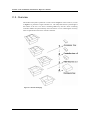
The ES U16U RAID Subsystem comes with many different features. Some of these
features enhance the performance of the system, other features add configuration
flexibility and other features simplify the installation, maintenance and upgrade
procedures of the system. This section highlights some of the features of the ES RAID
Subsystem.
A.3. Subsystem Features
A.3.1 Model Variations
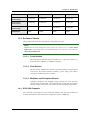
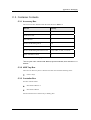
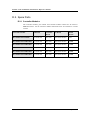
The ES U16U RAID subsystem comes in a variety of models that enables users to
carefully select a RAID subsystem that will meet their needs. Two models provides
optional expansion ports for those users who require larger amounts of storage. A
variation in DIMM module sizes also provides further selection flexibility.
A.3.2 SCSI-320 Host
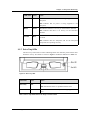
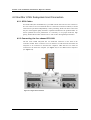
The ES U16U controller modules have two SCSI-320 host channels. Both these channels
can be connected to a SCSI-320 host computer with data transmission rates of up to
320MB/sec.
A.3.3 Sixteen SCSI-320 Drives
The ES U16U comes with sixteen drive trays that are able to accommodate a large
variety of 16 hot-swappable SCSI-320 drives. These drives provide users with massive
amounts of storage space.
A.3.4 Expansion channels
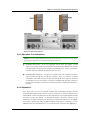
Two models come with two SCSI-320 expansion channels that are pre-configured as
drive channels. This enables users to further expand their RAID storage by connecting
the SCSI-320 expansion ports to an external SCSI-320 storage device.
A.3.5 Cableless Design
All of the active, user serviceable components are attached directly to the ES U16U and
secured with easily accessible retention screws (Note: Drive trays do not have retention
screws). None of these components have any cables attached to them. This facilitates
simplified installation and maintenance procedures.
Overview
A-2