1
Twist 300 / Belgacom EN / A31008-M2042-E151-1-2M19 / main.fm / 12.08.2009
12
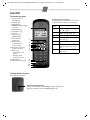
Menu tree
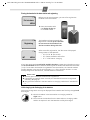
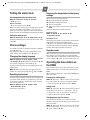
Your phone has an extensive range of features.
These are offered in the form of menus.
To select a function while the phone is in idle status, press MENU (open menu), use the t and v
keys to scroll to the function you require and press
OK to confirm.
To return to idle status: press and hold the a
key.
1
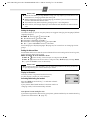
Activating/deactivating the alarm clock
1-2 Wake-up time
Input format: HHMM
¢ 4 1 ¢ OK
Audio Settings
2-1 Handset Volume
2-2 Ringer Volume
2-3 Ringer Melody
2-1-1 Earpiece
Can be set to one of 3 levels
2-1-2 Speaker
Can be set to one of 5 levels
5 levels + "crescendo" available
2-3-1 External Calls
10 ringer melodies available for external calls
2-3-2 Internal Calls
10 ringer melodies available for internal calls
2-3-3 Alarm Clock
10 ringer melodies available for alarm clock
2-4 Advis. Tones
Activate/deactivate
2-5 Battery Low
2-5-1 Off
2-5-2 On
2-5-3 During Call
3
MENU
Alarm Clock
1-1 Activation
2
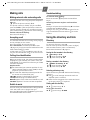
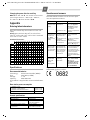
As an alternative to selecting functions using the
t and v buttons, you can also enter the digit
combination that is in front of the function in the
menu tree.
For setting the time and date, for example:
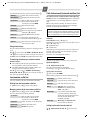
Voice Mail
3-1 Set Key 1
(all devices)
3-1-1 Netw. Mailbx
Warning tone to indicate
battery is almost flat:
never
always
only during a call
Assign key 1 with network mailbox and enter the network mailbox
number (in idle status, press and hold key 1 to dial).
Netw. Mailbx: your network provider's answer machine; must be
requested separately. The network mailbox list can be displayed if
your network provider supports this function and if key 1 has been
assigned with the network mailbox.