1
Table of contents
Table of Contents
Project management........................................................................................................................................ 2
Table of contents ............................................................................................................................................... 3
1
INTRODUCTION ............................................................................................................................................. 5
1.1 String theories ............................................................................................................................................... 5
1.1.1
Chamberlin and Mellotron ................................................................................................................ 5
1.1.2
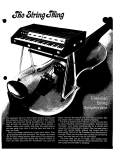
Ken Freeman: string synthesist .......................................................................................................... 6
1.1.3
Eminent.................................................................................................................................................. 6
1.2 The ARP String Ensemble ............................................................................................................................ 6
1.2.1
Arrival of the fittest .............................................................................................................................. 7
1.2.2
Form factor ........................................................................................................................................... 7
1.2.3
A string of spinoffs ................................................................................................................................ 8
1.2.4
String songs: a selected discography ............................................................................................. 8
1.3 Physical modeling synthesis ....................................................................................................................... 9
1.3.1
Music and math: forever linked ........................................................................................................ 9
1.3.2
Complex calculations ........................................................................................................................ 9
1.3.3
No end in sight ................................................................................................................................... 10
2
ACTIVATION & FIRST START ...................................................................................................................... 11
2.1 Register & Activate ................................................................................................................................... 11
2.2 Initial setup .................................................................................................................................................. 11
2.2.1
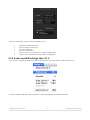
Audio and MIDI settings: Windows ................................................................................................. 11
2.2.2
Audio and MIDI settings: Mac OS X ............................................................................................... 12
3
USER INTERFACE ......................................................................................................................................... 14
3.1 Virtual keyboard ........................................................................................................................................ 14
3.2 The tool bar ................................................................................................................................................. 14
3.2.1
Selecting Presets ................................................................................................................................ 14
3.2.2
Open .................................................................................................................................................... 15
3.2.3
Poly ....................................................................................................................................................... 16
3.2.4
Panic .................................................................................................................................................... 17
3.2.5
CPU meter........................................................................................................................................... 17
3.2.6
Global MIDI channel......................................................................................................................... 17
3.2.7
MIDI controller configurations ......................................................................................................... 18
3.2.8
PREF (MIDI preferences) ................................................................................................................... 19
3.3 Managing presets ..................................................................................................................................... 20
3.3.1
Select a bank, type, or preset ........................................................................................................ 21
3.3.2
Saving an edited preset................................................................................................................... 22
3.3.3
Import / Export a bank of presets ................................................................................................... 23
ARTURIA SOLINA V User Manual
-3-
1 INTRODUCTION