Transcript
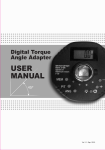
Digital Torque Adapter
1. Product Specifications
Thank you for choosing KRAFTWERK
Art. 4081-34
Digital Torque Adapter
USER MANUAL
digital torque adapter. Please read
instruction carefully before using. You
will find this KRAFTWERK Digital
Torque Adapter easy to use. Turn it on
and apply the Digital Torque Adapter.
Accuracy
Memory
Display resolution
Display Range
Drive
Operation Mode
Unit Selection
Size
Weight
Battery
Battery Life
Operating relative humidity
Operating Ambient
Temperature
Storage Temperature
Auto shut off
±2%
50
0.1
100-500 N-m (73.8 ~ 369Ib-ft)
3/4 inches
Peak/Track
kg-m, lb-ft, N-m
L 110 x W 56 mm
570 g
AA x 2 pcs
110hrs (cont. operation)
15 to 90% noncondensing
-10ºC - 60ºC (13.9ºF - 139.9ºF)
2. Components and
Features
Mem
Power
Trace & Peak
Buzzer
-20ºC - 70ºC (-4ºF - 157.9ºF)
80 seconds (if do not use
digital torque adapter.)
LCD
CONTENTS
1.Product Specifications
2.Components and Features
3.How to use Digital Torque Adapter.
(+) Increase
3.1. Battery Installation and
Replacement.
(-) Decrease
LED
3.2. Power On.
3.3: How to select "UNIT".
( kg-cm, kg-m, lb-in, lb-ft, N-m)
3.4. How to set "Target Torque Value."
3.5: How to set "Peak" and "Trace".
3.6. Turn Off
3.7. Memory
4.Importment safeguards
3. How to use Digital
Torque Adapter
Do not press "Mem" and "
button together please.
The system will enter into
Calibration Mode.
"
3. How to use Digital
Torque Adapter
3. How to use Digital
Torque Adapter
3. How to use Digital
Torque Adapter
2 Power On.
4 How to select "Target Torque Value".
5 How to set "Peak" or "Trace".
Peak :
1. Press and release the " " button to
turn the digital adapter on. The LCD
panel shows "
" or "
".
1. Press and release "Peak - Trace" button when the digital torque
adapter is on.
2. The L.C.D panel shows "
".
3. The L.C.D panel shows 00.0 after
2 seconds.
1 Battery Install and Replacement.
1. CR2032 x 1 pc.
2. Keep the end thread clean and
dry for a good contact.
3. Open the battery cap.
4. Remove the old battery.
5. Install 1 pc CR2032 battery in the
digital torque adapter (with the "+"
sign facing upwards).
6. Screw the battery cap.
2. After 2 seconds the L.C.D panel show "00.0".
3. Swing the digital alays the torque value
measured.
Note
If you do not use the wrench for 80
seconds the digital adapter will
automatically shut off.
3 How to select "Unit".
Press "Mem" and "Peak - Trace"
button together and release to select
different torque units.
2. Lower (-):
1. Press and hold the (-) button to
lower the current target value,
2. The target will show for 10 seconds.
3. After 10 seconds the LCD display 0.00.
Note
1. When you are approaching 20% unit
before the target you will see a flash of
red light and hear an intermittent buzzer
warring you that you are approaching
the torque value.
2. When you are target value you will see
red light and hear buzzer. Stop pulling.
Battery Cap
Note
1. When battery are low a "
" icon
will light.
2. Remove the battery if stored for a
long period of time.
3. Battery life depends on battery
quality and the amount of the lights
and buzzer are used.
4. Typical life is up to 55 hours.
1. Increase (+):
1. Press and hold the (+) button to
increase the current target value,
2. The target will show for 10 seconds.
3. After 10 seconds the LCD display 0.00.
Note
1. When you change units the target
setting will also be changed to the
new units value.
2. This digital torque adapter contains 5
unit selections.
(kg-cm, kg-m, in-lb, ft-lb, N-m).
3. How to use Digital
Torque Adapter
7 Memory
1. Store reading must be under the
"Ptop" mode.
2. Press "Mem" button at least 1 second
and release.
3. The display show the memory number
is "P01" than "Torque Value".
4. Press "Mem" button at least 1 second
one more time.
5. The display show the memory number
is "P02" than "Torque Value".
6. "P01" is the latest reading, "P50"
would be the oldest.
6 Turn Off.
1. If you do not use the digital torque
adapter for 80 seconds the digital
torque adapter will automatically
shut off.
2. To manually turn off the digital torque
adapter press and release the "
"
button.
Do not press "M cm" and "
button together please.
"
The system will enter into
Calibration Mode.
Store in a clean, dry place.
Use a soft, dry, clean cloth clean the
digital torque adapter and L.C.D panel.
Basic safty precautions should be
observed especially when using the
digital torque adapter on or near
children and disabled persons.
Trace :
1. Press and release "Peak-Trace" button when the digital torque
adapter is on.
2. The L.C.D panel shows "
".
3. The L.C.D panel shows 0.00 after
2 seconds.
4. Important safeguards
Note
1. This Digital Torque Adapter stores the
last 50 torque value readings.
Never submerge the digital torque
adapter in water or any other liquid.
Never clean the digital torque adapter
with organic solvents.
Use the digital torque adapter only for
the intended use described in this manual.
Do not exceed the permitted torque
value for the digital torque adapter.
Do not use the digital torque adapter if
it is not working properly, or if it has
suffered any damage.
Do not disassemble the digital torque
adapter.
Do not expose the digital torque adapter
to extreme temperature, humidity direct
sunlight or shock violently.
Do not shake or shock.
To ensure accurate measurement
periodic recalibration is necessary.