1
N600 WiFi Dual Band Gigabit Router
Add QoS Rules by Service . . . . . . . . . . . . . . . . . . . . . . . . . . . . . . . . . . . . . . . . . . . .
Add a QoS Rule by Device . . . . . . . . . . . . . . . . . . . . . . . . . . . . . . . . . . . . . . . . . .
Edit a QoS Rule . . . . . . . . . . . . . . . . . . . . . . . . . . . . . . . . . . . . . . . . . . . . . . . . . . .
Delete a QoS Rule . . . . . . . . . . . . . . . . . . . . . . . . . . . . . . . . . . . . . . . . . . . . . . . . .
Delete All QoS Rules . . . . . . . . . . . . . . . . . . . . . . . . . . . . . . . . . . . . . . . . . . . . . . .
Improve Network Connections with Universal Plug and Play. . . . . . . . . . . . . . .
Wi-Fi Multimedia Quality of Service . . . . . . . . . . . . . . . . . . . . . . . . . . . . . . . . . . .
41
42
44
44
45
45
47
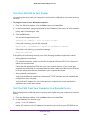
Chapter 5 Control Access to the Internet
Set Up Parental Controls . . . . . . . . . . . . . . . . . . . . . . . . . . . . . . . . . . . . . . . . . . . . .
Allow or Block Access to Your Network . . . . . . . . . . . . . . . . . . . . . . . . . . . . . . . . .
Manage Network Access Control Lists . . . . . . . . . . . . . . . . . . . . . . . . . . . . . . .
Use Keywords to Block Internet Sites . . . . . . . . . . . . . . . . . . . . . . . . . . . . . . . . . .
Delete Keywords from the Blocked List . . . . . . . . . . . . . . . . . . . . . . . . . . . . . .
Block Services from the Internet . . . . . . . . . . . . . . . . . . . . . . . . . . . . . . . . . . . . . .
Schedule When to Block Internet Sites and Services . . . . . . . . . . . . . . . . . . . . . .
Avoid Blocking on a Trusted Computer . . . . . . . . . . . . . . . . . . . . . . . . . . . . . . . . .
Set Up Security Event Email Notifications . . . . . . . . . . . . . . . . . . . . . . . . . . . . . . .
49
51
53
54
55
55
57
58
59
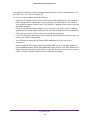
Chapter 6 Share a Storage Device Attached to the Router
USB Device Requirements . . . . . . . . . . . . . . . . . . . . . . . . . . . . . . . . . . . . . . . . . . . .
Connect a USB Device to the Router . . . . . . . . . . . . . . . . . . . . . . . . . . . . . . . . . . .
Access an Storage Device Connected to the Router . . . . . . . . . . . . . . . . . . . . . .
Map a USB Device to a Windows Network Drive . . . . . . . . . . . . . . . . . . . . . . . . .
Back Up Windows Computers with ReadySHARE Vault. . . . . . . . . . . . . . . . . . . .
Back Up Mac Computers with Time Machine . . . . . . . . . . . . . . . . . . . . . . . . . . . .
Set Up a USB Hard Drive on a Mac. . . . . . . . . . . . . . . . . . . . . . . . . . . . . . . . . . .
Prepare to Back Up a Large Amount of Data . . . . . . . . . . . . . . . . . . . . . . . . . .
Use Time Machine to Back Up onto a Storage Device. . . . . . . . . . . . . . . . . . .
Control Access to a Storage Device . . . . . . . . . . . . . . . . . . . . . . . . . . . . . . . . . . . .
Use FTP Within the Network . . . . . . . . . . . . . . . . . . . . . . . . . . . . . . . . . . . . . . . . . .
View or Change Network Folders on a Device . . . . . . . . . . . . . . . . . . . . . . . . . . .
Add a Network Folder on a Storage Device. . . . . . . . . . . . . . . . . . . . . . . . . . . . . .
Edit a Network Folder on a Storage Device. . . . . . . . . . . . . . . . . . . . . . . . . . . . . .
Use the Router as a ReadyDLNA Media Server. . . . . . . . . . . . . . . . . . . . . . . . . . .
Approve USB Devices . . . . . . . . . . . . . . . . . . . . . . . . . . . . . . . . . . . . . . . . . . . . . . . .
Safely Remove a USB Device . . . . . . . . . . . . . . . . . . . . . . . . . . . . . . . . . . . . . . . . . .
62
62
63
64
64
65
65
66
66
67
69
70
71
72
73
74
75
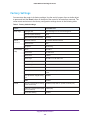
Chapter 7 Access Storage Devices Through the Internet
Access Storage Devices Attached to the Router . . . . . . . . . . . . . . . . . . . . . . . . .
Set Up FTP Access Through the Internet. . . . . . . . . . . . . . . . . . . . . . . . . . . . . .
Access Storage Devices Through the Internet with FTP . . . . . . . . . . . . . . . . .
Dynamic DNS . . . . . . . . . . . . . . . . . . . . . . . . . . . . . . . . . . . . . . . . . . . . . . . . . . . . . . .
Your Personal FTP Server. . . . . . . . . . . . . . . . . . . . . . . . . . . . . . . . . . . . . . . . . . . . .
Set Up a New Dynamic DNS Account . . . . . . . . . . . . . . . . . . . . . . . . . . . . . . . .
Specify a DNS Account That You Already Created . . . . . . . . . . . . . . . . . . . . .
4
77
77
78
78
79
79
80