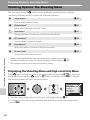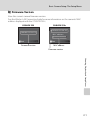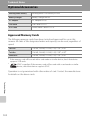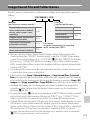
1
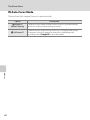
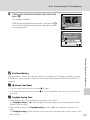
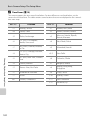
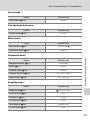
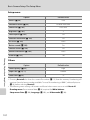
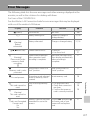
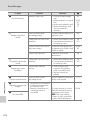
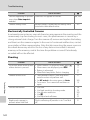
Error Messages
Solution
A
Check printer. After
checking the ink or solving
the problem, select
Resume and press k to
resume printing.*
–
Specified size of paper is
not loaded in printer.
Load the specified paper,
select Resume, and press
k to resume printing.*
–
PR
Printer error: paper
jam
Paper has jammed in the
printer.
Eject the jammed paper,
select Resume, and press
k to resume printing.*
–
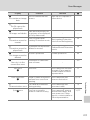
PR
Printer error: out of
paper
No paper is loaded in
printer.
Load the specified paper,
select Resume, and press
k to resume printing.*
–
PR
Ink error.
Printer error: check ink
Check ink, select Resume,
and press k to resume
printing.*
–
PR
Ink cartridge is empty.
Printer error: out of ink
Replace ink, select
Resume, and press k to
resume printing.*
–
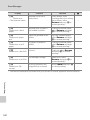
PR
Printer error: file
corrupt
Select Cancel and press k
to cancel printing.
Display
Problem
PR
Printer error.
Check printer status.
Running out of ink or
printer error.
PR
Printer error: check
paper
An error caused by the
image file has occurred.
–
* See the documentation provided with your printer for further guidance and information.
Technical Notes
120