1
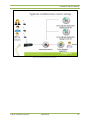
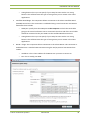
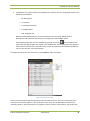
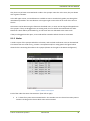
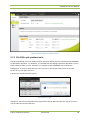
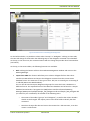
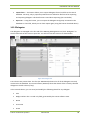
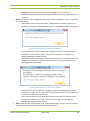
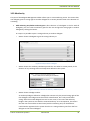
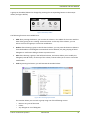
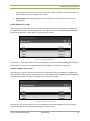
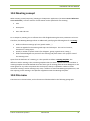
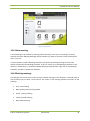
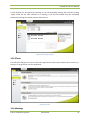
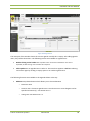
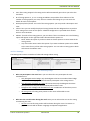
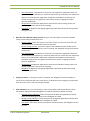
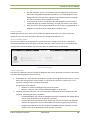
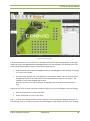
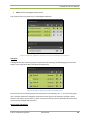
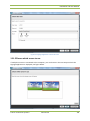
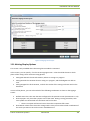
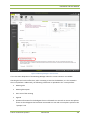
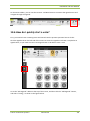
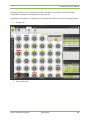
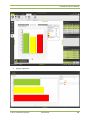
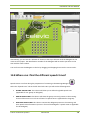
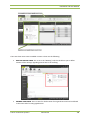
Installation and User Manual On the left: switch between various views: synoptic view, microphone list, agenda tab, speech timers. Note that some of these may not be available in a meeting. In the centre: room synoptic At the right: speaker list, request list, group list. At the bottom: diagnostics information Each of these will be discussed in the following sections 11.1.4 Closing the Operator Application When closing the Operator Application and there is a meeting running, you will be asked if you want to finish the current meeting. If you stop the current meeting, it will be archived and you won’t be able to start it again. If you exit the Operator Application without finishing the meeting, this means that another Operator Application can take over the current meeting session. 11.2 Operator Application views The Operator Application allows the operator to have various views on the conference. These can be selected by clicking the tab items on the left-hand side. 11.2.1 Room synoptic The room synoptic is the area where the meeting activity can be monitored and controlled. It contains the synoptic, as defined in the CoCon Room Configurator (for more info about this application, see Chapter 9). This contains the following elements: Nodes: locations where no conference equipment is associated (see 9.1.2) Units: conference units in the room that can be controlled (see 9.1.1). E.g. microphones, voting panels… The example below contains a background, 1 node without any equipment, and 6 microphone units that can be controlled. The colour code for the activity is the following: Red: microphone is active; delegate can speak. This can usually be switched on and off in the Operator Application by left-clicking on a unit (if no other constraints are active, see 11.3). Green: microphone is in request; delegate cannot speak but has shown the intention of wanting to speak. This can usually be switched on and off in the Operator Application by holding the Control button and right-clicking on a unit (if no other constraints are active, see 11.3). Televic Conference Systems 2012-10-29 105