1
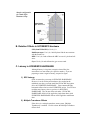
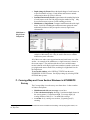
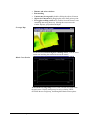
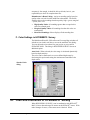
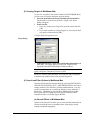
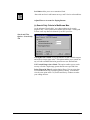
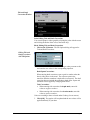
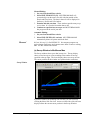
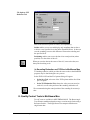
Bar Check Window
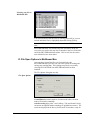
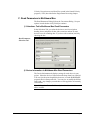
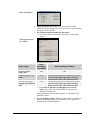
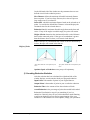
2. Click [Reset Barcheck.txt] to begin a new Bar Check Report.
3. Set your filters.
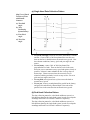
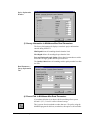
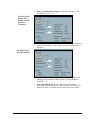
▪ Depth Gate determines the scope of the display in the lower
part of the window.
▪ Angle Limit defaults to 75 degrees. If you see indications on
the sides that the outer beams are inaccurate you may need to
narrow your focus. We have seen instances where, at 75
degrees, the outer beams were hitting the chains suspending
the bar thus affecting the accuracy of the test.
▪ Bar Depth is the depth at which the bar is currently set.
▪ Measured Depth is a calculated average of all sounding
data over the three-second interval.
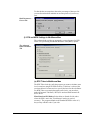
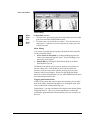
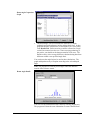
4. Set your Bar Depth and watch the data on the screen.
5. When the Measured Depth stabilizes, hopefully approximately
equaling the Bar Depth, click [Save Depth]. This saves
statistical documentation about the data gathered by each beam
over the past three seconds.
6. Repeat the process for each Bar Depth.
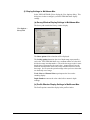
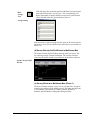
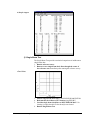
7. When the test is complete, click [Barcheck.txt] to view and
print the stored data in Windows® Notepad.
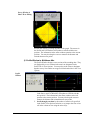
B. Patch Test
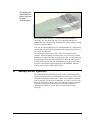
While it is difficult to accurately measure the angular mounting
components (roll, pitch, and yaw) of multibeam systems, errors in
these measurements can lead to inaccurate surveys. The patch test is
7/04
HYSWEEP® Hardware • 9