1
7.Control board
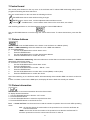
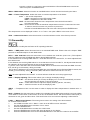
The control panel situated on the top cover of the ArcPower 48 TC allows DMX addressing,calling build-in
programs and setting the fixture behaviour
The four control buttons on the front have the following functions:
- ESCAPE button-leaves menu without saving changes.
- ENTER button- enters menu, confirms adjusted values and leaves menu.
- UP and
- DOWN buttons - move between menu items on the same level, sets values.
After switching the fixture on, the fixture display shows the current DMX address:
Use the UP/DOWN buttons to scroll through the various menu items. To select desired item, press the ENTER.
7.1 Fixture Address
Use this menu to set the DMX address of the fixture or set the fixture as a Master (Slave).
dM.Ad. --- DMX addressing. Select this submenu to set a DMX start address.
To set a DMX address.
1.
Use the UP/DOWN buttons to find “ A001“ menu.
2.
Press the ENTER button.
3.
Use the UP/DOWN buttons to select desired start address.
4.
Press the ENTER button to confirm the choice.
MA.SL. --- Master/slave addressing. Select this submenu to set the fixture as a master or slave. Option "d.AbL"
deactivates master/slave setting.
To set a fixture as a master or slave.
1.
Use the UP/DOWN buttons to find “A001“ menu.
2.
Press the ENTER button.
3.
Use the UP/DOWN buttons to select “ MA.SL.“ item.
4.
Press the ENTER button.
5.
Use the UP/DOWN buttons to select either master (MASt) or slave (SLA)
6.
Press the ENTER button to confirm the choice.
Note: After switching on, the ArcPower 48 TC will automatically detect whether DMX 512 data is received or
not.
If there is no data received at the DMX input, the display will start to flash with actually set address.
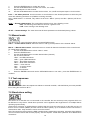
7.2 Fixture information
Use this menu to read useful information about the fixture status.
To display desired information.
1. Use the UP/DOWN buttons to find the “ InFo“ menu.
2. Press the ENTER button.
3. Use the UP/DOWN buttons to select the required menu item.
4. Press the ENTER button to confirm the choice.
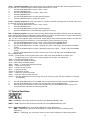
Po.ti. --- Power On Time. Use the menu item to read the number of operation hours for each LEDs operating
mode.
totL - the function shows the total number of the operation hours since the ArcPower 48
has been fabricated.
rESEt - the function shows the number of the operation hours that the ArcPower 48 TC
has been powered on since the counter was last reset. In order to