1
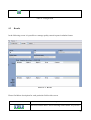
Pictrure 2. 14 – Print Reports.............................................................................................................30
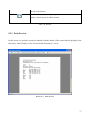
Picture 2. 15 – Print all selected samples..........................................................................................30
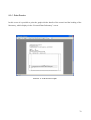
Picture 2. 16 – Print Preview .............................................................................................................31
Picture 3. 1 – List Method..................................................................................................................33
Picture 3. 2 – Applied Time ...............................................................................................................34
Picture 3. 3 – Visualizing option of the trace in print ........................................................................34
Picture 3. 4 –Definition Fraction........................................................................................................35
Picture 3. 5 – Group of Fraction ........................................................................................................36
Picture 3. 6 – Normal Values Modification .......................................................................................36
Picture 3. 7 – Save the updated fraction.............................................................................................37
Picture 3. 8 – Sample Category..........................................................................................................37
Picture 3. 9 – Fractions Color ............................................................................................................38
Picture 3. 10 –Definition Comments..................................................................................................39
Picture 4. 1 – Today’s Data Window.................................................................................................40
Picture 4. 2 – Serum Holder 16 samples ...........................................................................................41
Picture 4. 3 - Number Patient...........................................................................................................42
Picture 4. 4 – Change Tracks Window ..............................................................................................45
Picture 4. 5 – Factor Parameter..........................................................................................................45
Picture 4. 6 - Modify Pattern Factor .................................................................................................46
Picture 4. 8 - Export Insert name machine IP address ....................................................................46
Picture 4. 9 – Graph ...........................................................................................................................48
Picture 4. 10 – Drop Down Menu Graph ...........................................................................................49
Picture 4. 11 – Color Pattern..............................................................................................................49
Picture 4. 12 – Zoom Sider ................................................................................................................50
Picture 4. 13 – Insert Legend .............................................................................................................51
Picture 4. 14 – Zooming Of the Image...............................................................................................51
Picture 4. 15 – Print Window.............................................................................................................52
Picture 4. 16 – Printing Mode ............................................................................................................52
Picture 4. 17 - Export – Insert name of machine and IP address .....................................................53
Picture 4. 18- Print Preview ..............................................................................................................54
Picture 5. 1 – Control Machine ..........................................................................................................57
Picture 5. 2 – service Maintenance ....................................................................................................58
Picture 5. 3 – User services...............................................................................................................58
Picture 5. 4 – Password Maintenance ................................................................................................58
Picture 6. 1 – Delete Exams ...............................................................................................................59
Picture 6. 2 – Setting Filters...............................................................................................................60
Picture 6. 3 – Filters Delete Patients .................................................................................................61
Picture 6. 4 – Delete Serum Holder ...................................................................................................62
Picture 6. 5 – Delete Serum Holder in the Archive ...........................................................................62
Picture 7. 1- Advanced Search ...........................................................................................................63
Picture 7. 2 – Setting Filters...............................................................................................................64
Picture 7. 3 – Print Patient ................................................................................................................65
4