1
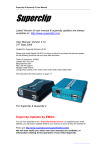
Superclip & Superclip 2 User Manual
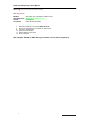
Updating The SuperClip Firmware
Some updates require the firmware in the superclip to be updated.
You will be advised if this is necessary when the update is released.
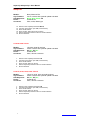
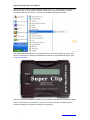
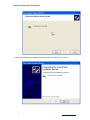
1. Install the New update.
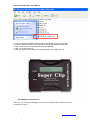
2. Run the newly installed Updater.
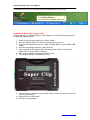
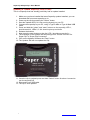
3. Connect the Clip to computer with the USB A to A Cable.
4. Press enter on the clip and LED 1 should light.
5. Now Click on the enter button on the Software.
6. After the clip has updated.
THE NEXT PART IS VERY IMPORTANT AND MUST BE DONE RIGHT
THIS WILL ONLY HAPPEN ON THE FIRST UPDATE
UPDATING AGAIN WILL NOT UPDATE THE FIRMWARE AGAIN
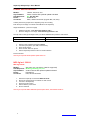
7. Turn off the Clip by Holding the SELECT button for 1 secondthen releasing it.
8. Now Disconnect the clip from the USB Cable.
9. Once Disconnected Press the SELECT Button LED 1 Should Flash.
10. Press the SELECT Button Once more and now LED 4 Should Flash.
11. Now Press Enter. (Firmware is now Updated)
Page. 32
http://www.superclip2.com