1
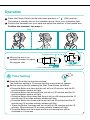
Operation
A
Time Setting
8 When the set time is counting down, the time indicator
will change following the remaining time.
B
Music Selection
1 Relaxation music can be activated during the operation
of the oxygen concentrator. Procedure as follows :
Press the Music selection button one time, the first music indicator will
light and first music will be on repeatedly.
Press the Music selection button two times, the second music indicator
will light and second music will be on repeatedly.
Press the Music selection button three times, the third music indicator
will light and third music will be on repeatedly.
Press the Music selection button four times, the forth music indicator will
light and forth music will be on repeatedly.
Press the Music selection button five times, all the music indicators will
light and music will be on from the first one to the forth one repeatedly.
Press the Music selection button six times, all the
music indicators will be off and music will stop.
2 Music volume can be adjusted.
3 Use the sound volume key to adjust the sound volume.
4 Music can not play alone when operation stops.
C
When Operation Stops
1 When the set time ends, the machine will automatically
activate blowing for one minute in order to speed up
the discharge of vapors.
8