1
pixelMAD manual
27
pixelMAD manual
The relationship between the Pixel Mixes window and the lighting fixtures can be seen
in the diagram below. Here the image of a static white rectangle has been placed over 8
parcans and a section of some LED batons. This white rectangle can then be moved
across the lighting fixtures using the X and Y position parameters in the Layers window.
Figure 32 - How the pixel mixes window relates to the lighting fixtures.
Example 2
This example shows how multiple image mixes can be displayed over different groups of
lighting fixtures.
Select your images or movies in the Library window and patch them through to the
Layers window. Then open three Mix windows from the HUD.
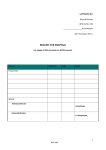
Patch the images through from the Layers window to the Mix windows using the four
channel buttons in each of the layers in the Layers window.
Figure 33 – Layer mix select buttons.
28