1
INTREPID User Manual
Library | Help | Top
INTREPID spatial and time domain filters and transformations (R13)
5
| Back |
Extended region size
(Hilbert transformation only)
INTREPID automatically calculates the length of the extended region for the Hilbert
transform using the formula
w – 1)
p = (----------------2
where
p = length (data points) of extended region
w = filter window length
INTREPID automatically calculates a suitable extended region size for the other
filters.
Data extension method
(Fuller filter, Hilbert transformation, Phillips automatic depth estimation only)
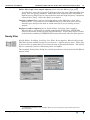
INTREPID has three options for extended region values, as described below. In the
dialog box for the filter, select the Data Extension Method option as required.
Zero Pad INTREPID sets all extended region values to zero.
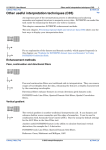
Mirror Pad Data INTREPID extrapolates values so that the profile of the extended
region Signal values is a Y reflection of the profile of the Signal values of the same
number of original data points at that end of the line.
Flipped Mirror Pad Data INTREPID extrapolates values so that the profile of the
extended region Signal values is a Y reflection then an X reflection of the profile of
the Signal values of the same number of original data points at that end of the
line. This is the default option for spatial domain filters.
Filter definition (.fdf) vs kernel (.ker) files
Filter definition (.fdf) files
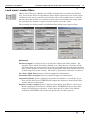
Using the Line Filter tool you can save and load filter definition files which specify
the type and parameters for a filter. These files have the extension .fdf and reside
in the install_path/filters directory (where install_path is the location of
your INTREPID installation). Filter definition files can specify spatial or spectral
domain filters.
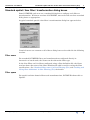
The name of the filter definition file will show in the Name text box of the filter
properties dialog box.
See "Loading and saving filter definitions" in Line Filtering (T31) for details.
User defined convolution kernel (.ker) files
You can specify a convolution filter using a set of coefficients for multiplying
neighbouring data points or grid cells, combining the results and calculating a new
value for the target point or cell. INTREPID stores the coefficients in a user defined
convolution kernel file with the extension .ker, residing in the install_path/
kernels directory (where install_path is the location of your INTREPID
installation). See User defined convolution kernelsfor details.
Library | Help | Top
© 2012 Intrepid Geophysics
| Back |