1
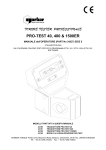
Control elements, input outputs:
1. Connector POWER - power voltage 12V DC
2. Connector LAN RJ45 - connection to LAN or internet
3. DEVICE BUS 1 - CAN 9, bus for connection of MRA-5Q or DMC-3Q
4. DEVICE BUS 2 - CAN 9, parallel connected to BUS 1, for connection of second bus
5. 2 x 16 alphanumeric display
6. button RESET - processor reset, same function like power off / power on
7. trim VOLUME – earphone volume setting
8. EARPHONE – earphone connection for audio monitoring (2x 32ohm)
9. LED OK (green) – indicates correct communication
10. LED POWER (red) – indicates power supply
Example of QME-1 setting - displayed information
1. Switching ON (after reset):
QME-1 v 1.2
BUS ID = 61
Introductory info, SW version 1.2
Assigned bus ID = 61
Red LED POWER light
2. Connecting to LAN (or LAN disconnected):
ETH CABLE CHECK
BUS ID = 61
Connection of Ethernet cable testing
Assigned bus ID = 61
Red LED POWER light
3. LAN cable connected:
DHCP REQUEST
BUS ID = 61
Checking IP address using DHCP protocol
Assigned bus ID = 61
Red LED POWER light
4