1
Assetmaxx Users Manual
E. Miscellaneous Reports
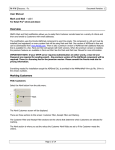
There are three pre-designed Miscellaneous Reports. To generate one of these reports:
1. Select the Reports tab, then Miscellaneous
2. Click on the link for the desired report.
3. The Asset Selector (Search) screen will appear. Enter criteria for your report.
(See Appendix B for help on using the search screens.) Click on Submit at the
bottom of the screen.
4. The selected report will display in a separate window. This may take a few
seconds, depending on the size of the report, the size of the database, and the
speed of your internet connection.
F. System Reports
There are three pre-designed System Reports. To generate one of these reports:
1. Select the Reports tab, then System.
2. Click on the link for the desired report.
3. The Asset Selector (Search) screen will appear. The log reports display a slightly
different search screen. Enter criteria for your report. (See Appendix B for help
on using the search screens.) Click on Submit at the bottom of the screen.
4. The selected report will display in a separate window. This may take a few
seconds, depending on the size of the report, the size of the database, and the
speed of your internet connection.
Page 64
Last Revised: 2/27/2009