1
H3C MSR 20/30/50 Series Routers User Manual
Chapter 5 Software Maintenance
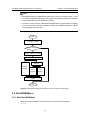
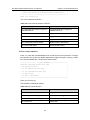
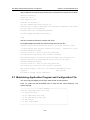
Enter the file name, press <ENTER>, and then the system prompts deleting
success:
deleting...
success!
Caution:
Confirm the file to be deleted before deleting since the system does not prompt you to
confirm when deleting files.
V. Exit to the main menu
Exit to the main BootROM menu.
5.8 Dealing with Router Password Loss
Do as follows when your BootROM password, user password or Super Password is
lost.
5.8.1 User Password Loss
You cannot enter the system if you lose your user password. You can boot the system
by neglecting system configuration. Perform the following operations:
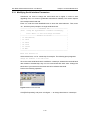
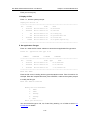
Step 1: Enter the main BootROM menu, and select <6> to boot by ignoring system
configuration:
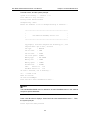
The system prompts:
........
Flag Set Successfully.
The system prompts set success.
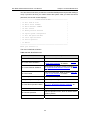
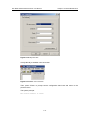
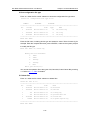
Step 2: When the main BootROM menu appears again, enter <a> to reboot the system.
........
system start booting......Version
2.11
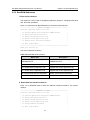
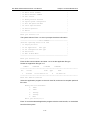
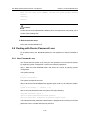
Step 3: Set new password under the system view after rebooting.
[H3C]user-interface console 0
[H3C-ui-console0]authentication-mode password
[H3C-ui-console0]set authentication password simple 123456
This indicates that the password authentication is adopted at the console port and the
password is set to 123456 and stored in plain text.
5-26