1
NAVIGATING INTO THE SETTINGS MENU
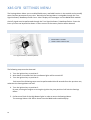
6. Perform one flash of the left turn indicator.
Every main element of the Settings Menu is now accessible by single flash of the left turn
indicator. The selected function name will be shown into the display of the BMW radio
module. Perform this action until the desired function will be selected.
7. Perform one flash of the right turn indicator.
Every sub element of the last selected main element is now accessible by single flash of the
right turn indicator. The parameter related to the selected function will be shown into the
display of the BMW radio module. Perform this action until the desired parameter related to
the selected function will be chosen.
SAVING INTO THE SETTINGS MENU
8. In order to save the selected sub element, perform one flash of the High Beams lights.
The message 'Saved!' will be shown into the display of the BMW radio module.
The turn indicator lights will be flashing few times.
Now you can exit the menu or continue on selecting a new main element (step 6).
EXIT SETTINGS MENU
9. In order to exit from the menu, turn the ignition key into position 0 or start the engine (by
turning the ignition key into position number 3). Also the menu will exit after 60 seconds from
the last action.
The message 'Menu: OFF' will be shown into the display of the BMW radio module.
11