1
The HKL Manual
144
Q:
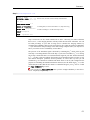
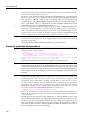
I am trying to process data collected on an R-axis using Denzo and my problem is the
following: Although I have what seems to be a pretty decent orientation using the R-axis
software, when I import an oscillation frame into Denzo , the overlap between predicted and
observed spots is far from decent. Some one suggested that I try to obtain a conversion
between the angles ϕx, ϕy, ϕz as defined in R-axis and those used by Denzo .
There is conversion for the angles for some space groups, however it is much simpler to do
autoindexing in Denzo. If you still have a problem it is most likely due to misindexing. Denzo
reverses the definition of x and y axis relative to R-axis software. If you enter X BEAM and Y
BEAM swapped, Denzo may misindex.
Q:
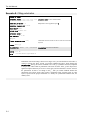
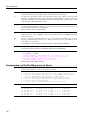
Before we indexed this crystal on an orthorhombic lattice with cell constants of 133.7, 67.6,
35.7. Now the unit cell is primitive monoclinic 61.89 103.76 70.37 90 109.27 90, and
distortion index for orthorhombic is 7.36%.
This is why Denzo always outputs 14 best fitting Bravais lattices when autoindexing. Often
protein crystal are polymorphic and unit cell is unexpected one.
Q:
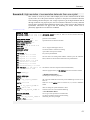
It seems to me that if one has indexed the diffraction pattern from one image, for example
Frame #1. Then after inputing all the parameters determined from this image (such as
CRYSTAL rotx roty rotz etc.) one should be able to predict other frames, for example Frame
#40 with rotx adjusted accordingly. However, the program seems always reindex the new
image and somehow ignore the input parameters. I know that because the crystal symmetry
would allow many different but equivalent indexings, however, I think consistency in indexing
for successive image has its advantages in case that one wants to apply some anisotropic
absorption correction. The confusion comes from the misunderstanding that the rotx value
should be adjusted for every frame with different starting ϕ-scan value.
You should autoindex only one image per crystal, to have consistent description of crystal
orientation, and you should omit the peaks search file peaks.file command on
subsequent images.
Q:
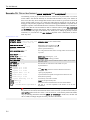
After Denzo autoindex, should you have a program to output CRYSTAL rotx roty rotz if one
wants to switch spindle axis and vertical axis. In the case of [unnamed co-conspirator],
because odd ratio of cell axes, and same frames resulted in 3 or 4 equivalent autoindex
results, but we could not find the location of major zone on the basis of any index results. I
have a P21212 diffracted to 2.2Å but failed to find major zone, and collected data cross a
mirror plane (60% completion after 90 degrees data).
You can use option PRINT zones in Denzo. Or, you can redo the autoindexing with the
desired values of SPINDLE AXIS and VERTICAL AXIS. Also Scalepack can do the requested
calculation.
Q:
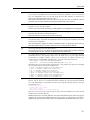
Also, is there some way to set a resolution cutoff for the peak search? At 2Å I have a dark
nickel diffraction ring that peak search labels, understandably, with many peaks. This hasn't
yet skewed the auto-indexing, as there I can set RESOLUTION LIMITS, but it would be nice to
be able to avoid those areas in the data at the outset.
Specify RESOLUTION LIMITS 20 2.1 before autoindexing. This will remove all spots found by
peak search outside 20 - 2.1 Å range.
Q:
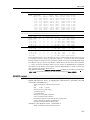
If I have good cell parameters to start with, can the indexing routine use them as given rather
than recalculating them from the peak positions? For one image that I have the Denzo
autoindexing gives somewhat different cell parameters from what I think are the correct ones,
and the refinement then doesn't work as well as it should. I'd like to be able to try fixing the
cell parameters and see if it helps.
type...peak search file peaks.file GO FIX cell [It you did FIT cell in
autoindexing] UNIT CELL 98 99 115 90 90 90 and the program will use the UNIT CELL value