1
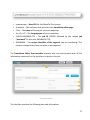
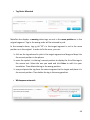
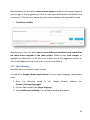
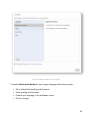
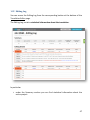
Start working with MateCat 1.1 MateCat Home Page and Login There are currently two versions of the MateCat translation tool: • http://demo.matecat.com – Open source version to translate XLIFF files. The user can also install and administer the open source version on his/her own server. For further instructions and details, refer to the installation guide at the following link: http://docs.matecat.com/installation-‐guide • http://www.matecat.com – Proprietary version which includes filters for 56 file formats. This is the version we use as a reference for this user manual. This version of MateCat is free for both personal and business translation jobs. In order to store and recover your projects in MateCat, you should log in by clicking on the login button at the bottom of the MateCat home page. You will be asked to sign in using your Google account. 1.2 Creating Projects In MateCat, translation jobs are organised into projects. A project is made up of one or more translation jobs and each one is associated with a unique job URL. Each project can be created with one source language and one or more target languages. To create a new project in MateCat, visit http:/matecat.com All you need to do is select the language combination and upload the file(s) to translate. This is necessary to create your project. By clicking on More Options, you can add options or change preferential options. 10