1
Windows NT Installation
5.5.1
Starting and Stopping the Agent
Windows NT
Installation
To start the agent, issue the following command:
net start snmp
To stop the agent, issue the following command:
net stop snmp
5.5.2
Removing the Agent
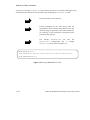
To remove the SNMP agent, in a DOS window, go to the directory on the ForeRunner CD corresponding to your CPU type, and issue the following command:
snmpinst -uninstall
This command will remove the agent from the registry.
5.5.3
Accessing the MIBs
The MIB variables supported by the agent can be read by any SNMP network management
system. However, all the values in the FORE MIBs supported by the agent are read-only.
The MIB files that are supported by the agent can be found in the \MIBS directory of the
driver distribution file structure. They are:
•
fore-adapter.mib
•
fore-sonet.mib
•
fore-lane.mib
ForeRunner HE/200E/LE ATM Adapters for the PC User’s Manual
5 - 35