1
Placing Center and Station
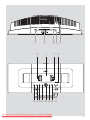
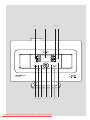
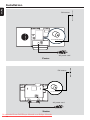
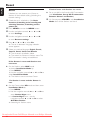
Rear connections
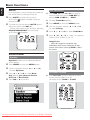
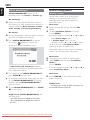
With the detachable stands and by-packed wall
mounting kits, WACS700 Center and Station
allow you to place them in two ways: on
desktops with stands or on walls without
stands.
Warning:
Never make or change connections with
the mains supply switched on.
English
Installation
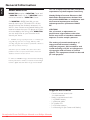
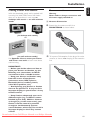
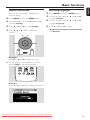
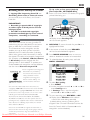
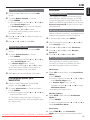
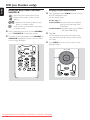
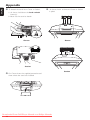
A Antenna Connection
1
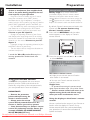
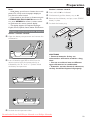
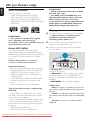
Extend the wire antenna and fit it to
FM ANTENNA as shown below.
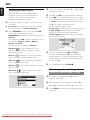
(on desktops with stands)
or
(on walls without stands)
See Appendix: How to mount your Center
and Station onto walls to learn more about
wall mounting
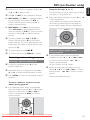
2
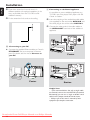
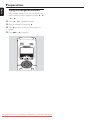
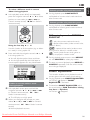
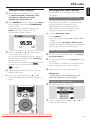
To improve FM reception, fit the plug of the wire
antenna, as shown, into the plug of the extension
line
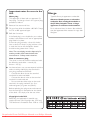
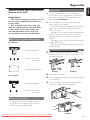
IMPORTANT!
– Before you decide where and how to
place your Center and Station, try the
following rear connections and Wi-Fi
connection to find a suitable location.
– Keep your Center and Station away
from the source of interference
(microwave ovens, DECT phones,
bluetooth devices, cordless phones,
other Wi-Fi products, etc.)
– Avoid placing your Center or Station
close to the plasma TV. It may result in
improper display on your Center’s 2-way
remote control.
– Keep Stations adequately apart or in
different angles (e.g. in different rooms
blocked by one wall). Within a distance
and angle (e.g. in the same room), your
Center’s remote control is powerful
enough to simultaneously operate
several Stations, which may also result in
improper display on the 2-way remote
control.
Downloaded From DvDPlayer-Manual.com Philips Manuals
19