1
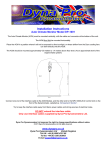
Dyna Run V3 Display Summary (Make Run Screen)
Dyna Run Main Display with Air/Fuel Gauge
Log Mode Display
Real Time Air Fuel Display
Comm.‟s Indicator
Drop Down Menus
Brake Indicator
Machine Model and Software Version
Eddy Brake Control
indicators
Quick Ignition Controls
Right Hand Display
Clock
Tell Tail Needle
Left Hand Display
Clock
Atmospheric Display
Shift Lights
Message Display
Digital Clock Display
Eddy Brake
Temperature Display
Eddy Brake Load
Display
Real Time Torque
display
Real Time Power
Display
Auxiliary Sensor
Displays
Status Bar
Real Time Power & Torque Graph
Eddy-Brake Controller Display
Dyna Run Main Display without Air/Fuel Gauge
Atmospheric Display
NOTES Please be aware that some Functions, Menu Options and Graphic Displays shown above may not be available
on all Dynamometer Models.
Dyna Pro Dynamometers Ltd
Dyna Run V3 User Manual
www.dynapro.co.uk
10