1
MicroEngine ®
XP-GT/GTR Programming Manual
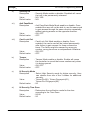
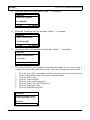
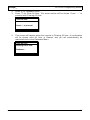
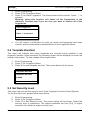
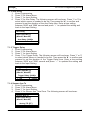
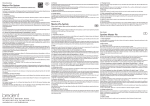
Output On/Off
Switch Output No.[?]
(Min=01, Max=04)
Status : [OFF]
√ - OK
X - Cancel
7.2.2 Output Type
1. Enter Programming.
2. Press '5' for Alarm Menu.
3. Press '2' for Output Setting.
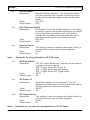
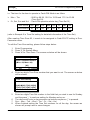
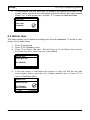
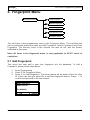
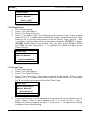
4. Press '2' for Output Type. The following screen will be shown. Press a value
between '0' to '3' to select which which alarm output is needed to be set. Then
press the '# ' to confirm and proceed to set the Output Type. Use the '↑' and
'↓' buttons to set the alarm output is activated constantly, [CONST], or pulse,
[PULSE]. Beside that is timer setting, user can enter a time between '0000'
and '3599' second. Then press ' √ ' to updated the setting and back to the
output Setting.
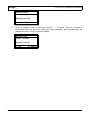
Output Type
Switch Output No.[?]
(Min=01, Max=04)
Type [Conts][0000]s
√ - OK
X - Cancel
7.2.3 Event Type
1. Enter Programming.
2. Press '5' for Alarm Menu.
3. Press '2' for Output Setting.
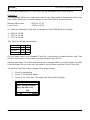
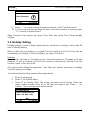
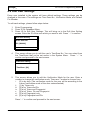
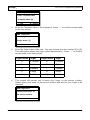
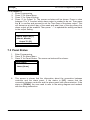
4. Press '3' for Event Type. The screen as below will be shown. Press a value
between '0' to '3' to select which alarm output is needed to be set. Then press
the '# ' to confirm and proceed to set the Event Type.
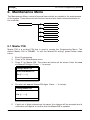
Event Type
Switch Output No.[?]
(Min=01, Max=04)
Event No.[00 :[/]
√ - OK
X - Cancel
5.
V3.00
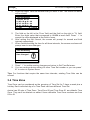
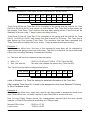
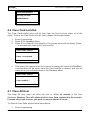
There are 20 events can be selected from the total 62 events (please refer to
pg.29, Table1). Enter a value between '00' to '19' and use the '↑' and '↓'
buttons to choose a event from table 1. Then press ' √ ' to updated the setting
and back to the output Setting.
49