1
2.5
Configuring the Properties File
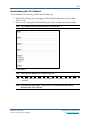
After you have copied the files for the LCS, you need to configure a properties file to include the
IP address for the LCS machine. To configure the properties file, perform the following steps.
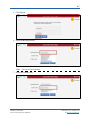
1. Open the Terminal as a root or sudo user.
2. Change to the following directory:
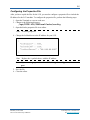
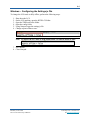
/opt/KITE-LCS/TDELocalCache/config
3. Open the kitelcs.properties file in an editor.
Hint: vi kitelcs.properties
4. Change the lcsHostServer to the IP address for your LCS.
Hint: Replace the # symbols above with the IP address.
Note: If you are using a port other than 3000, change the nodejsport to the correct
port.
5. Save the file.
6. Close the editor.
KITE™ | LCS Guide
2015 © The University of Kansas
ATS Help Line: 785.864.3537
Or kite-support@ku.edu