1
Security functions
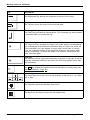
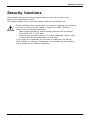
Brief overview of security functions
Detailed information about the security equipment of your device can be found
in the "Professional Notebook" manual, on the "Drivers & Utilities" CD/DVD
or on our website at "http://ts.fujitsu.com/support/".
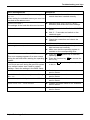
Security functions
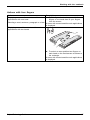
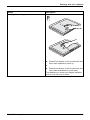
Kensington Lock
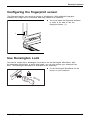
Fingerprint sensor
BIOS password protection
Boot from removable media
Owner Information
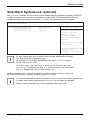
SmartCard reader
Trusted Platform Module
(optional)
66
Type of protection
Mechanical
Preparation
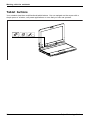
Fit and lock Kensington
MicroSaver (accessory).
Biometric
Install the supplied fingerprint
software.
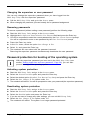
Password protection for BIOS
Specify at least one supervisor
Setup, operating system and
password in the BIOS Setup
hard disk with supervisor and
and activate the password
user password. The passwords protection for the operating
consist of a maximum of eight system and hard disk as
alphanumeric characters.
desired.
Prevents unauthorised booting In the BIOS Setup, go to the
of an operating system from
Security menu and edit the
external media (e.g. USB stick, option Boot from Removable
USB CD-ROM drive etc.).
Media.
Overlay service desk or owner In the BIOS Setup, go to the
information during the boot
Security menu and edit the
process.
option Owner Information.
PIN and SmartCard protection Install software e.g. SmartCase
for operating system
Logon+ (accessories). Specify
a password when using the
SmartCase Logon+ software.
Identification and authentication Define a supervisor password
in the BIOS Setup and enable
of the notebook
the TPM (Security Chip).
Fujitsu Technology Solutions