1
Chapter 3 - Creating a Logic Program (Tutorial)
3.2.2
Selecting Variable Types
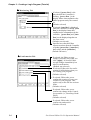
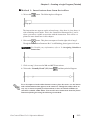
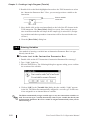
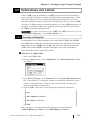
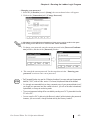
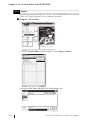
The variable “Cup_Present_for_Ice” is now displayed in the [Variable Type]
dialog box. The words “Not Assigned” are highlighted in the list below it. There
in no variable type assigned to “Cup_Present_for_Ice”. Therefore, it needs to be
assigned as a discrete input.
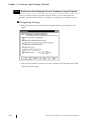
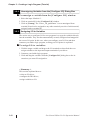
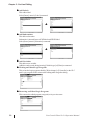
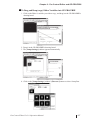
! Assigning Variable Types
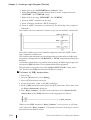
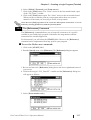
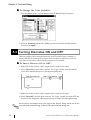
1. Select [Discrete] from the [Variable Type] list.
2. Select [Input].
3. Click on the [Retentive] box to deselect it. Data will not be retained if the
power supply is cut, or the GLC unit is reset.
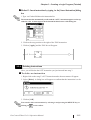
4. Click on [Create]. “Cup_Present_for_Ice” has now been assigned as a discrete input.
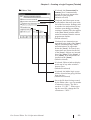
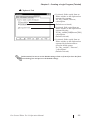
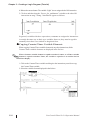
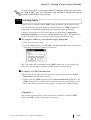
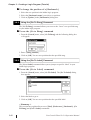
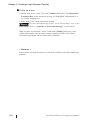
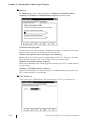
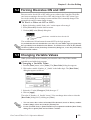
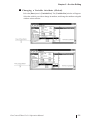
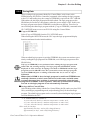
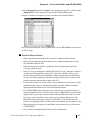
Note that the variable type change that you made to “Cup_Present_for_Ice” in
the [Variable Type] dialog box has now taken effect in the [Variable List]
window and that the Variable Type dialog box is still open. If you had clicked on
[OK], the changes would still have occurred in the [Variable List] window, but
the [Variable Type] dialog box would have closed. The advantages of leaving
these dialog boxes open becomes apparent as you begin inserting rungs and
instructions as well as using Editor’s drag & drop, click, and insert features.
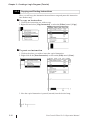
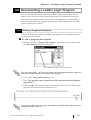
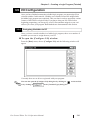
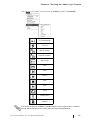
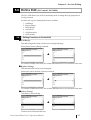
You can select the variable types you want to view in the [Variable List] window by
selecting [View], then selecting the variable types you want displayed. A check
mark appears beside the selected variable types.
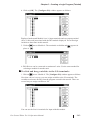
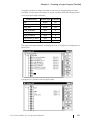
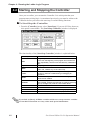
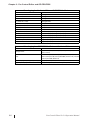
Now you have learned how to create a variable and assign a variable type to it,
create the list of variables shown in the following table. Variables can be created
directly in the [Variable Type] dialog box.
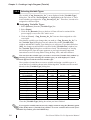
Variable Name
Variable Type
I/O Type
Hold/Release
Global
Power_On_pushbutton
Discrete
Input
Release
Global
Cup_Present_for_soda
Discrete
Input
Release
Global
Ice_pushbutton
Discrete
Input
Release
Global
Large_pushbutton
Discrete
Input
Release
Global
Medium_pushbutton
Discrete
Input
Release
Global
Power_Off_pushbutton
Discrete
Input
Release
Global
Small_pushbutton
Discrete
Input
Release
Global
Ice
Discrete
Output
Release
Global
Soda_valve
Discrete
Output
Release
Global
Fill_Timer
Timer
Internal
Hold
Global
Number_of_Larges
Counter
Internal
Release
Global
Number_of_Mediums
Counter
Internal
Release
Global
Number_of_Smalls
Counter
Internal
Release
Global
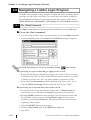
Close the [Variable Type] dialog box when you have finished.
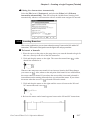
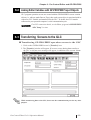
If you typed a variable name incorrectly, simply rename it using the [Rename] option
in the [Edit] menu’s [Variable List] window. To create variables faster in the [Variable List] window, press the INSERT key.
3-8
Pro-Control Editor Ver.3.0 Operation Manual