1
INSERTING THE PRINTING PLATE /
INSERER LE PLATEAU D’IMPRESSION
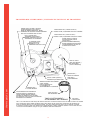
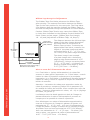
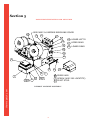
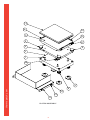
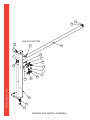
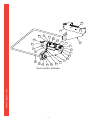
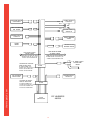
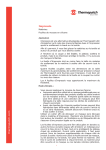
The above drawing shows a DP2000T Printing Plate
(Item 1) (CUSTOM PART) and a Printing Plate Holder
(Item 2) P/N (46007). The Printing Plate Holder is provided
for installation and removal of the Printing Plate.
With the artwork facing down on the Printing Plate, apply a
downward force just enough to slide the Printing Plate Holder
forward. This locks the Printing Plate into place. Insert the
plate into the plate mounting brackets on either side of the
iron. Slide the plate in fully. Apply the same downward force
and slide the Printing Plate Holder away from the machine. To
remove the Printing Plate from the machine, just reverse the
process. The Printing Plate is extremely HOT so caution must
be taken when removing and placing it on a heat protective
surface. Avoid any side to side motion of the Plate Holder while
inserting or withdrawing Print Plates. This motion tends to
bend side guides and loosen heater mounting screws.
The
Cor rmopa
por
atio tch
n
thermopatch.com
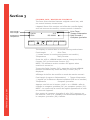
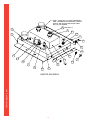
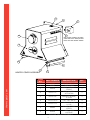
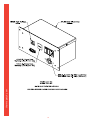
Note: I f you bump the touch guard, press the CLEAR button
on the controller box to reset.
26