1
CH 3 How to Use
3-5. Firmware Upgrade
If you wantt to
t upgrade,
d please
l
follow
f ll that;
th t
1. Download the latest firmware to USB memory root directory.
2. Put this memory to USB slot.
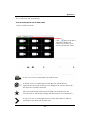
3. Choose ‘Upgrade’ button in MENU->SYSTEM->Configuration.
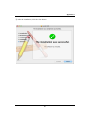
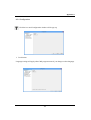
4. You can see the below screen will appear.
5. DOUBLE CLICK the desired file with mouse, and it will automatically proceed
78