1
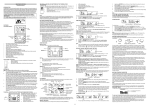
12/24 HOUR TIME DISPLAY SETTING
Flashing
1.
2.
3.
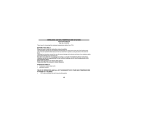
After setting time reception ON/OFF, press the SET key, “12h” or “24h” flashes in the LCD.
Press the IN key to select the “12h” or “24h” display mode.
Press the SET again to confirm and to enter the “Manual Time setting” or exit the setting mode by
pressing the CH key
Note: When 24h mode display is selected, the calendar format will be date and month display.
When 12h mode display is selected, the calendar format will be month and date display.
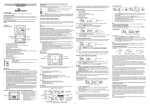
MANUAL TIME SETTING
Minutes (flashing)
Hours (flashing)
In case the Weather Station is not able to detect the DCF-signal (disturbances, transmitting distance, etc.),
the time can be manually set. The clock will then work as a normal Quartz clock.
To set the clock:
1.
The hour and minutes digits start flashing in the time display section.
2.
Use the IN key to adjust the hours and the OUT key to adjust the minutes. If you hold the key while
you adjust, the hours move 1 hour and the minutes move 5 minutes.
3.
Confirm with the SET key and enter the “Calendar Setting” or exit the setting mode by pressing the
CH key
Note:
The unit will still try and receive the signal despite it being manually set. When it does receive the signal, it
will change the manually set time into the received time. During reception attempts the DCF tower icon will
40