1
11 TROUBLESHOOTING
MELSEC-Q
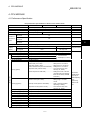
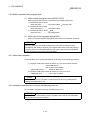
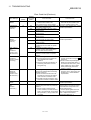
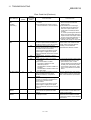
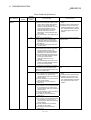
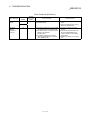
11.2 Troubleshooting
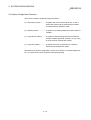
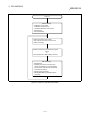
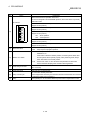
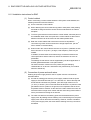
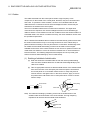
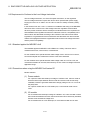
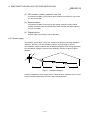
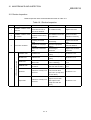
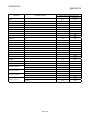
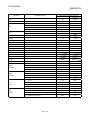
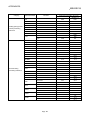
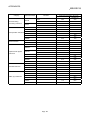
The error detail determination method, error details corresponding to the error code,
and corrective actions are described.
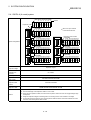
11.2.1 Troubleshooting flowchart
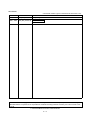
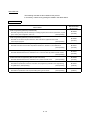
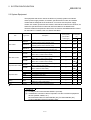
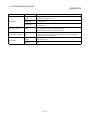
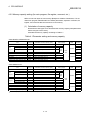
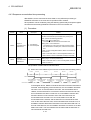
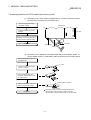
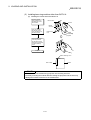
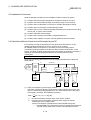
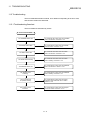
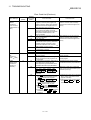
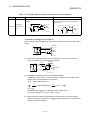
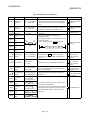
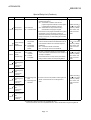
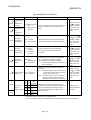
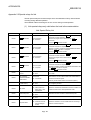
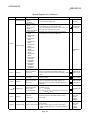
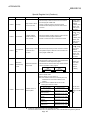
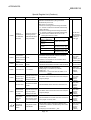
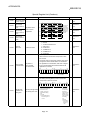
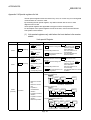
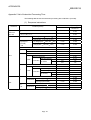
The error details are described by events.
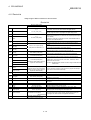
Error occurrence details
The "POWER" LED is OFF.
The "MODE" LED is OFF.
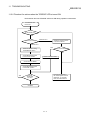
To "Flowchart for actions when the "POWER"
LED is turned OFF" in Section 11.2.2
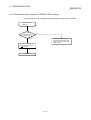
To "Flowchart for actions when the "MODE"
LED turns OFF" in Section 11.2.3.
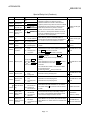
The "RUN" LED is OFF.
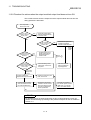
To "Flowchart for actions when the "RUN"
LED is turned OFF" in Section 11.2.4
The "RUN" LED is flashing.
To "Flowchart for actions when the "RUN"
LED is flashing" in Section 11.2.5
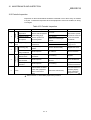
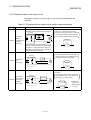
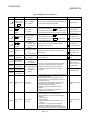
The "ERROR" LED is ON.
To "Flowchart for actions when the "ERROR"
LED is turned ON" in Section 11.2.6
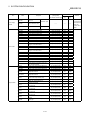
The "ERROR" LED
is flashing.
To "Flowchart for actions when the "ERROR"
LED is flashing" in Section 11.2.7
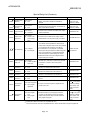
The I/O module will
not operate correctly.
To "Flowchart for actions when the output
module's output load does not turn ON" in
Section 11.2.8
The program cannot
be written.
To "Flowchart for actions when the program
cannot be written" in Section 11.2.9
11 - 2