1
1.2.
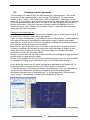
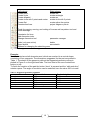
Modelling strategy
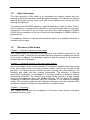
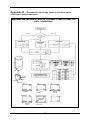
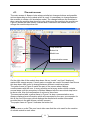
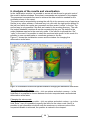
Abaqus provides the model tree as a proper tool for having an overview of the
modelling process. Following the model tree from top to the bottom creates a full
model database. The model tree has branches which contain further attributes. The
user can select an attribute by double clicking on it in the model tree. A context will
open and request information. Abaqus guides thru this context telling the user which
step needs to be done next to complete the attribute.
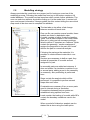
The two tabs on top allow a fast change
between model and result side.
One cae file can contain several models; these
models are listed in alphabetic order.
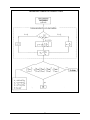
A model consists of parts. Under the heading
“parts” are all parts created in the model listed.
Also are in every part all necessary settings
listed to define it. Important are “features” which
contain the geometry, “section assignment”
assigns the properties to the part and “mesh”
defines the part for numerical analysis.
Following the parts are the materials. It is
possible to create different materials in one
model.
Sections are necessary to define a part; they
include all properties of a model and are
assigned to a part.
In assembly parts are added as instances. It
does not matter if a simulation consists of one
or several parts, adding a part in the assembly
is necessary. Also positioning is performed
here.
Steps contain the analysis which will be
performed. It is possible to perform several
steps after each other.
Constraints are necessary if two or more parts
need to interact during a simulation.
Connections between parts or points are
established using options from here.
Loads contain the loading of a model while BCs
contain the boundary conditions used in the
model.
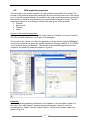
When a model is finished an analysis can be
started this is done using the Jobs option.
3