1
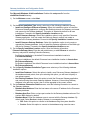
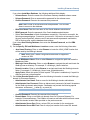
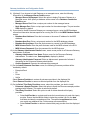
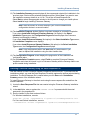
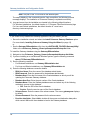
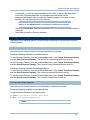
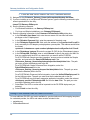
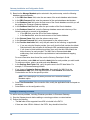
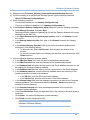
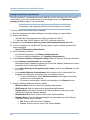
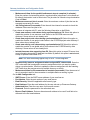
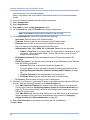
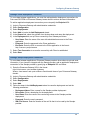
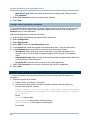
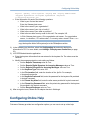
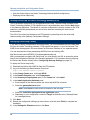
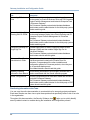
Gateway Installation and Configuration Guide Maximum wait time for the parallel load/convert steps to complete (in minutes): Enter the number of minutes after which a synchronization job process is to be timed out. By default, the duration is set to 30 minutes. The job status of a timed-out synchronization is set to Failed. Maximum concurrent jobs in a node: Enter the maximum number of jobs that can be executed concurrently at a node. Job Polling Interval (in seconds): Enter the wait time interval in seconds to check the database if there are new jobs to run. If you choose to integrate with P6, enter the following information on the P6 tab: Create new resource code values during synchronization to P6: Select this option to enable the creation of new resource code values in the P6 EPPM resource code dictionary if these values do not already exist. Create new project code values during synchronization to P6: Select this option to enable the creation of new project code values in the P6 EPPM project code dictionary if these values do not already exist. Create new activity code values during synchronization to P6: Select this option to enable the creation of new global activity code values in the P6 EPPM activity code dictionary if these values do not already exist. Include time zone when exporting from P6: Select this option to export P6 server time zone information along with P6 date and time fields. By default, this option is not selected, except for spread interval data in P6. Note: This time zone setting applies only for a P6 - Prime integration. Update activity resource assignments when assigned UDF values match: Enter the UDF code value that is assigned to resource assignments which you want to update during a synchronization. Use this to update the resource assignment with the matching UDF value when the assignment exists multiple times on an activity. Maximum wait time for the summarizer to complete (in seconds): Enter the amount of time in seconds to wait for the summarizer to complete before a warning is given. On the Mail Configuration tab: SMTP Server: Enter the SMTP server address of your email server. Port Number: Enter the port number of your email server. Email Security: Select the applicable email security type. Email Address: Enter the email address for the user who set up Primavera Gateway. Authorized User: Enter the user name for this email account. Password: Enter the password for the authorized user. Bounce Email Address: Enter an alternate email address to be used if mail fails to be delivered to the first email address. 32