1
ENGLISH
3. DURING EXERCISE
Record Your Exercise
1.
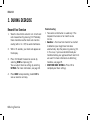
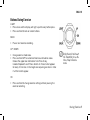
Wear the transmitter and wrist unit. Start heart
rate measurement by pressing OK. Preferably,
there should be no other heart rate monitors
nearby (within 1m / 3ft) to avoid interference.
2.
Within 15 seconds, your heart rate appears on
the display.
3.
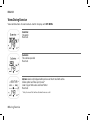
Press OK. Record the exercise session by
selecting START and pressing OK.
You can adjust Exercise settings by selecting
SETTINGS. For more information, see page 18.
4.
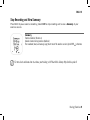
Press BACK to stop recording. Select EXIT to
view an exercise summary.
6 During Exercise
Troubleshooting:
• Your exercise information is saved only if the
stopwatch has been on for more than one
minute.
• OwnZone > Your heart rate monitor has started
to determine your target heart rate zone
automatically. Skip the process by pressing OK.
In this case, if you have not determined your
OwnZone before, your age-based heart rate limits
are used. For more information on determing
OwnZone, see page 19.
• START WITH BASIC SETTINGS > Press OK to
complete your Basic settings.