1
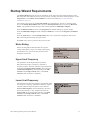
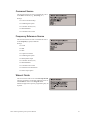
F810
F811
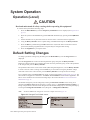
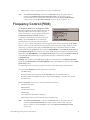
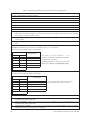
Frequency Point Selection
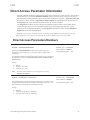
Direct Access Number — F810
Program ⇒ Communication Setting Parameters ⇒ Communication
Reference Adjust
Parameter Type — Selection List
This parameter enables the communications reference for scaling by selecting
an input type.
Factory Default — Disabled
Changeable During Run — Yes
See F811 — F814 for further information on this setting.
Note:
Scaling the communications signal is not required for all
applications.
Changes made to this parameter require that the power be cycled (Off then On)
for the changes to take effect.
Settings:
Disabled
Common Serial (TTL)
RS232/RS485
Communication Card
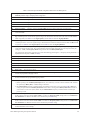
Communications Speed Reference #1
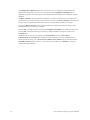
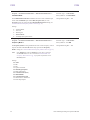
Direct Access Number — F811
Program ⇒ Communication Setting Parameters ⇒ Communication
Reference Adjust
Parameter Type — Numerical
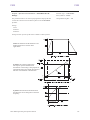
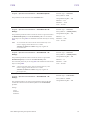
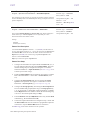
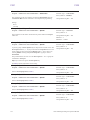
When enabled at F810, this parameter is used to allow the user to set the gain
and bias of the speed control input to the drive when the speed control signal is
received via the source selected at F810.
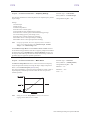
Communications Input Speed Control Setup
Factory Default — 0.00
Changeable During Run — Yes
Minimum — 0.00
Maximum — 100.0
Units — %
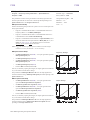
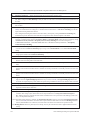
Perform the following setup to allow the system to receive control input via
Communications:
•
Set Communications Speed Reference #1 (F811) — the input signal
that represents BIN Speed Frequency #1.
•
Set Communications Speed Frequency #1 (F812).
•
Set Communications Speed Reference #2 (F813) — the input signal
that represents BIN Speed Frequency #2.
•
Set Communications Speed Frequency #2 (F814).
•
Provide a Run command (F and/or R).
Once set, as the input signal value changes, the output frequency of the drive
will vary in accordance with the above settings.
This parameter sets the Communications Speed Reference #1 input value that
represents Communications Speed Frequency #1. This value is entered as 0 to
100% of the Communications Speed Reference #1 input value range.
Changes made to this parameter require that the power be cycled (Off then On)
for the changes to take effect.
HX7 ASD Programming and Operation Manual
159