1
GTC – SOFTWARE DEVELOPMENT GROUP
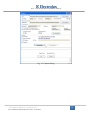
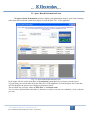
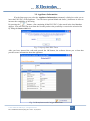
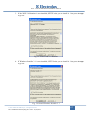
change or remove some of the above URLs in the future. For this reason, you should ask
Service Support Europe to know which address you should actually use in your case;
2. the Test connection command allows you to connect to the web portal to verify if you have
specified the correct internet address.
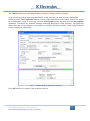
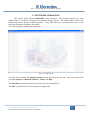
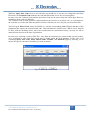
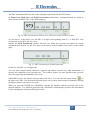
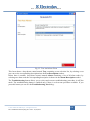
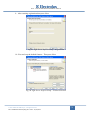
The Local Database section lets you specify the connection options for the local SQL Server
database:
1. Server: the name of the SQL Server instance that stores your local database. By default the
instance name is (local)\SQLEXPRESS. You select the server name at installation time
only if you perform the manual installation procedure as this document describes in the
appendix;
2. Database: the name of the local Sidekick database. By default the database name is
SidekickPC. You choose the database name at installation time only if you perform the
manual installation procedure as this document describes in the appendix;
3. the Use Windows NT Integrated Security option allows you to access the database
through the integrated security of the operating system;
4. the Use SQL Server user name and password option allows you to access the database
by means of explicit credentials. This is the default way to access to local database. The
User Name and Password fields allow you to specify your personal credentials to access
the database. You choose the user name and the password to access the local database at
installation time only if you perform the manual installation procedure as this document
describes in the appendix;
5. with the Connection Timeout and Command Timeout you can specify the connection
and command timeouts (in seconds) for the operations related to the local database.
Usually you do not need to alter these settings;
6. the Test Connection command allows you to connect to the database to verify if you have
specified the correct settings.
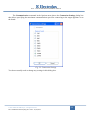
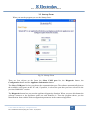
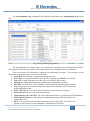
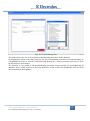
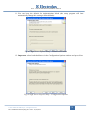
The Settings section lets you specify the type of the update and it shows the date and time of the last
update.
1. Full update: use this option if you want to perform a full update of the local database. In
this case all local data are removed (if any) prior executing a full copy of the remote
database contents to the local database. The full update involves all Electrolux appliance
models (PNCs) supported by SidekickPC. A full update is mandatory prior using the
software for the first time after the setup;
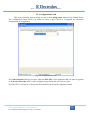
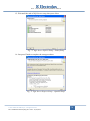
2. Incremental update: use this option if you want to download only the new records from
the remote database. This is the most common update after the initial setup. The
incremental update involves all Electrolux appliance models (PNCs) supported by
Sidekick;
© 2011 Electrolux Italia S.p.A., All rights reserved
File: SidekickPC Manual (EN).pdf - Date: 11/05/2011
18