1
5. EMERGENCY OVERRIDES & MASTER ERASE
Since these 2 procedures allow critical data to be accessed and changed, this page may be removed from the instruction manual to prevent unauthorized use of these features.
5.1
Emergency Overrides
In the event that a user-entered password is forgotten, the following emergency override passwords may
be used: 42 for the system password and 43 for the scale factor password. These override passwords
may not be changed or disabled.
5.2
Performing a Master Erase
This function erases all user-entered data AND data in the datalogger. Note all configuration settings and
download the datalog file if a record is desired prior to performing a Master Erase.
1. Turn the flowmeter off and back on again.
2. When the message INITIALIZING... is displayed,
press ERASE within 3 seconds.
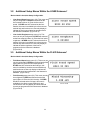
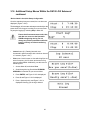
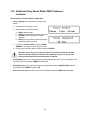
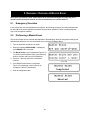
3. The Master Erase screen is displayed (Figure 5-A).
To continue with the Master Erase, press the 5 key
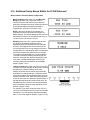
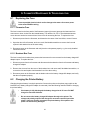
within 3 seconds, and Figure 5-B is displayed.
4. Press the . (decimal) key within 3 seconds to
continue.
FIGURE 5-A
FIGURE 5-B
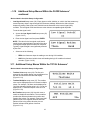
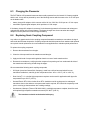
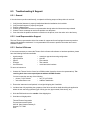
5. If the Master Erase function is completed,
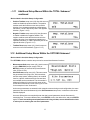
Figure 5-C is displayed. If the function is not
completed, Figure 5-D is displayed.
6. Enter all configuration data.
FIGURE 5-C
FIGURE 5-D
40