1
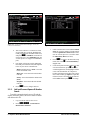
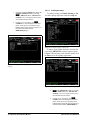
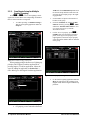
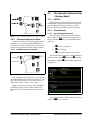
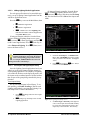
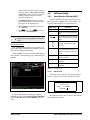
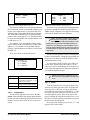
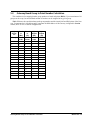
2.5. Square D Application Setup in E2: Multiple Breaker Grouping NOTE: A Group can contain one or more breakers as defined by a user. Assigning multiple breakers to a group allows an entire group of breakers to be turned on or off simultaneously, instead of each individual breaker being turned on or off separately. 2.5.1. Setting Light Outputs 1. To group multiple breakers to a single Lighting application, press - EDIT and select 2. Set Multiple Outputs. Figure 2-14 - Multiple Output Setup View 2. For the Area Ctrl property, press LOOK UP to select the Square D breaker panel, for the Application property select lighting panel, and for the Property output select the breaker input number (BREAKER_IN_X). Repeat for each breaker you wish to group to this Lighting application. Figure 2-13 - Set Multiple Breakers in E2 Lighting The Multiple Output Setup screen opens (Figure 2-14) where you can set up the Area Ctrl, Application, and Property Lighting outputs: Square D Application Setup in E2: Multiple Breaker Grouping E2 MODBUS Direct Support for Square D • 11