1
Operator Interface Controls
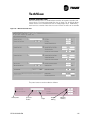
CH530 Communications Overview
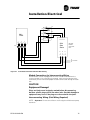
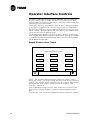
The Trane CH530 control system that runs the chiller consists of several elements:
• The main processor collects data, status, and diagnostic information and
communicates commands to the starter module and the LLID (for Low
Level Intelligent Device) bus. The main processor has an integral display
(DynaView).
•
Higher level modules (e.g. starter) exist only as necessary to support system level control and communications. The starter module provides control of the starter when starting, running, and stopping the chiller motor.
It also processes its own diagnostics and provides motor and compressor
protection.
•
Low level intelligent device (LLID) bus. The main processor communicates to each input and output device (e.g. temperature and pressure
sensors, low voltage binary inputs, analog input/output) all connected to a
four-wire bus, rather than the conventional control architecture of signal
wires for each device.
•
The communication interface to a building automation system (BAS).
•
A service tool to provide all service/maintenance capabilities.
Main processor and service tool (TechView) software is downloadable from
www.Trane.com. The process is discussed later in this section under TechView Interface.
DynaView provides bus management. It has the task of restarting the link, or
filling in for what it sees as “missing” devices when normal communications
has been degraded. Use of TechView may be required.
The CH530 uses the IPC3 protocol based on RS485 signal technology and
communicating at 19.2 Kbaud to allow 3 rounds of data per second on a 64device network. A typical four-compressor RTAC will have around 50 devices.
Most diagnostics are handled by the DynaView. If a temperature or pressure
is reported out of range by a LLID, the DynaView processes this information
and calls out the diagnostic. The individual LLIDs are not responsible for any
diagnostic functions. The only exception to this is the Starter module.
NOTE: It is imperative that the CH530 Service Tool (TechView) be used to
facilitate the replacement of any LLID or reconfigure any chiller component.
TechView is discussed later in this section.
Controls Interface
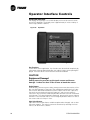
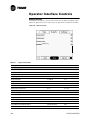
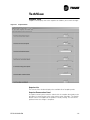
DynaView
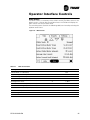
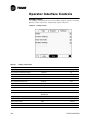
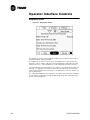
Each chiller is equipped with the DynaView interface. DynaView has the capability to display additional information to the advanced operator including the
ability to adjust settings. Multiple screens are available and text is presented
in multiple languages as factory-ordered or can be easily downloaded online.
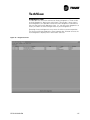
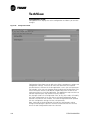
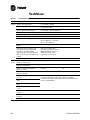
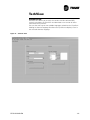
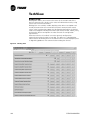
TechView
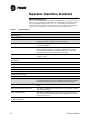
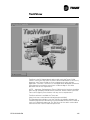
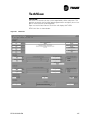
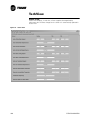
TechView can be connected to the DynaView module and provides further
data, adjustment capabilities, diagnostics information, downloadable software, and downloadable languages.
RTHD-SVX01B-EN
91