1
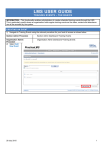
5. Click OK if both tests have been successful. If you didn’t hear anything from your headphone or if the
microphone did not respond, please refer to page 20-24 of this manual to troubleshoot the problem.
6. You will now see the screen below with a small Volume box (if you do not see it, you can bring up the
box by pressing Ctrl+Shift+V). Ensure the volume levels are adjusted to an appropriate level.
NOTE: If you are an attendee to this webinar, you will be automatically on mute when you join. When the cochairs invite attendees for discussion, the secretariat will unmute the corresponding attendee and yield the floor.
8