1
< >
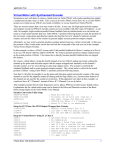
Interactive
graphical
pair selecton
>
>
Select feature
> and output temp/
density pairs
Read and-verify
F-GTN
file
Compute2-D
spline and
interpolate
feature
<
Select tabular
and graphical
output options
repeat
>
repeat
Display 3-D
F_GTN
coefficient graph
<
end
< >
Output tables
and graphs
>
<
Select
F-GTN
file
begin
Interactive
graph style
selection
Interactive parameter comments:
Programs of series ADAS5 which make use of data from archived ADAS datasets initiate an
interactive dialogue with the user in three parts, namely, input file selection, entry of user
data and disposition of output.
The file selection window has the appearance shown below
ADAS511 INPUT
Input Dataset
Data root
/packages/adas/adas/adf43/
User data
Central data
Edit Path Name
a)
f_gtn02#ar/f_gtn02#ar_ic#ar.dat
c)
..
f_gtn02#ar_ic#ar.dat
.
b)
Data File
Browse Comments
Cancel
Done
1. Data root a) shows the full pathway to the appropriate data subdirectories. Click
the Central Data button to insert the default central ADAS pathway to the
ADAS User manual
Chap6-11
17 March 2003