1
Part 2 - Installation
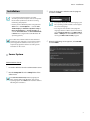
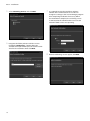
6 Designate the folder path to install the Client
program. Clicking the Disk Usage… button shows
the available and required disk space for each hard
disk drive for the installation. Then click Next.
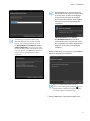
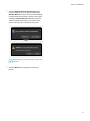
7 When the following screens appear, click Next.
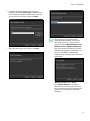
•• The following screen appears when
using Microsoft® Windows® Vista or later
operating systems. It is recommended
that you check the Disable WS-Discovery
Windows Service (fdPHost, FDResPub)
box. If you do not check the box, the IDIS
Solution Suite program cannot auto-scan
devices using ONVIF™ Conformance
protocol when scanning devices for device
registration.
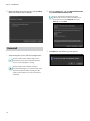
•• .NET Framework and the Visual
C++ Runtime Libraries are installed
automatically, and it may take some time.
This installation step will be skipped if the
programs are already installed on your
computer.
13