1
5–22
5–23
5–24
5–25
5–26
5–27
5–28
5–29
5–30
5–31
5–32
5–33
5–34
5–35
5–36
5–37
5–38
5–39
5–40
5–41
5–42
5–43
5–44
5–45
5–46
5–47
5–48
6–1
8–1
8–2
8–3
8–4
8–5
8–6
8–7
8–8
8–9
8–10
8–11
8–12
8–13
8–14
8–15
8–16
8–17
8–18
8–19
8–20
8–21
8–22
8–23
viii
JDBC GridLinkData Source- Connection Properties .......................................................... 5-16
Summary of JDBC Multi Data Sources ................................................................................. 5-17
Configure the Multi Data Source.......................................................................................... 5-17
Select Targets ............................................................................................................................ 5-18
Select Data Source Type .......................................................................................................... 5-18
Add Data Sources .................................................................................................................... 5-18
Settings for <Data Source Name> ......................................................................................... 5-19
Login Window ............................................................................................................................ 5-23
New Application ......................................................................................................................... 5-23
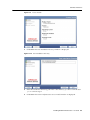
Preparing for the application installation................................................................................... 5-24
Installation Options.................................................................................................................... 5-24
Install New Application.............................................................................................................. 5-25
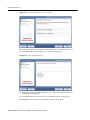
Map Modules to Servers............................................................................................................. 5-26
Map Resource References to Resources ...................................................................................... 5-26
Map Virtual host for Web Modules............................................................................................ 5-27
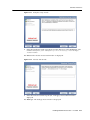
Summary .................................................................................................................................... 5-27
Enterprise Applications .............................................................................................................. 5-28
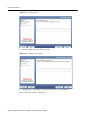
Summary of Deployments .......................................................................................................... 5-30
Install Application Assistant...................................................................................................... 5-31
Install Application Assistant...................................................................................................... 5-31
Optional Settings........................................................................................................................ 5-32
Deployment Summary................................................................................................................ 5-33
Settings for <Deployment Name>.............................................................................................. 5-34
Summary of Deployments .......................................................................................................... 5-35
Summary of Deployments .......................................................................................................... 5-35
Tomcat home ............................................................................................................................... 5-38
Tomcat Web Application Manager ........................................................................................ 5-39
OFSAAI Login window................................................................................................................. 6-3
Uninstalling OFSAA Infrastructure ............................................................................................ 8-1
Enterprise Applications ............................................................................................................. 8-2
Uninstall Application ................................................................................................................. 8-2
Summary of Deployments......................................................................................................... 8-3
Summary of Deployments- Messages...................................................................................... 8-3
Tomcat Web Application Manager .......................................................................................... 8-5
Integrated Solutions Console Login ........................................................................................ B-3
Enterprise Applications ............................................................................................................ B-3
Welcome ...................................................................................................................................... B-5
Select Domain Source ................................................................................................................ B-5
Specify Domain Name and Location ...................................................................................... B-6
Configure Administrator Username and Password ............................................................. B-6
Configure Server Start Mode and JDK ................................................................................... B-7
Select Optional Configuration.................................................................................................. B-8
Configure the Administration Server ..................................................................................... B-8
Configure Server Start Mode and JDK ................................................................................... B-9
Configure Server Start Mode and JDK ................................................................................. B-10
OFSAAI Login window.............................................................................................................. B-18
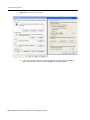
Internet Options ......................................................................................................................... B-19
OFSAA Infrastructure Port Changer..................................................................................... B-22
Select Source & Destination for Migration ........................................................................... B-27
Select Entities to Migrate......................................................................................................... B-27
Error Dictionary ......................................................................................................................... D-14