1
Page 108
BE1470
Technical
Solutions
Bellman Visit System
Information
When using rechargeable NiMh-batteries, the Bellman Visit 868 Pager can also be connected to the
BE1260 Bellman Visit Charger (separate product). This charges the unit and allows up to two BE1270
Bellman Bed-shakers (accessory) to be connected via the charger. Charging of the BE1260 Bellman Visit
Charger (separate product) is controlled by the pager and takes up to 8 hours. During charging the LED
on the charger will light up green but go out when charging is finished. If the Pager remains in the charger
after charging is finished, the LED on the charger will blink green now and then to indicate that the battery
is being trickle charged.
Please note: WHEN USING the Bellman Visit Charger
ONLY USE RECHARGEABLE NiMH BATTERIES.
Non-rechargeable batteries will start to leak if re-charged! The acid in
the batteries will damage the electronics in the Bellman Visit 868 Pager,
BE1470 and the resulting damage will not be covered by any guarantee.
Function
General
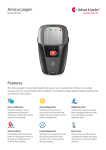
The BE1470 Bellman Visit 868 Pager is a receiver within the Bellman Visit 868 system for indoor use, which
attracts the attention of the user using light and vibrations.
It is activated via radio signals from any transmitter within the Bellman Visit 868 System.
When using rechargeable NiMh batteries, the Bellman Visit 868 Pager can be connected to the BE1260 Bellman
Visit Charger (separate product) to which two BE1270 Bellman Bed-shakers (accessory) can also be connected.
This combination makes for better economy due to the rechargeable battery and better functionality due to the
alarm call options with the Bed Shaker.
Radio key
On delivery all Bellman Visit 868 units are tuned to the same Radio Key. If you have a neighbour with a similar
system, you can change to different Radio Keys so that you do not affect each other’s systems.
The radio key on this receiver can be changed by holding down the Function Button (1) for about five seconds
until the LEDs (3) and (4) blink alternately. Then press the transmitter’s test button so that the receiver’s LEDs
(2-5) blink to confirm that the Radio Key has been changed. All units in a Bellman Visit 868 System must have
the same Radio Key in order to operate as a group. Refer to the user manual for the relevant unit.
More information is available in the Appendix.
Please note:
All Bellman Visit 868 products within the same system
must be tuned to the same Radio Key in order to operate
as a group.