1
Using the OfficeScan Firewall
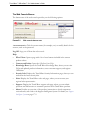
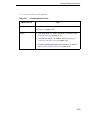
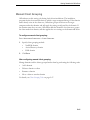
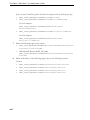
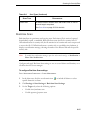
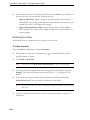
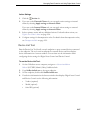
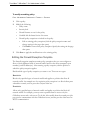
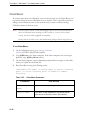
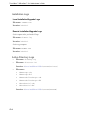
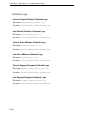
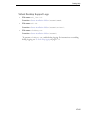
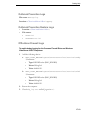
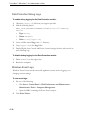
Client listening port: Networked Computers > Client Management > Status. The port
number is under Basic Information.
Server listening port: Administration > Connection Settings. The port number is under
Connection Settings for Networked Computers.
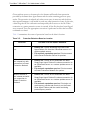
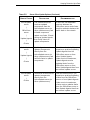
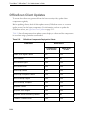
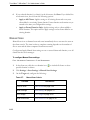
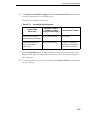
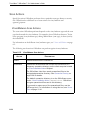
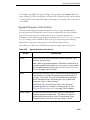
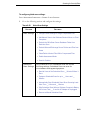
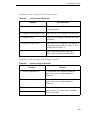
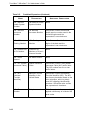
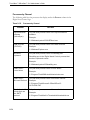
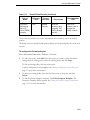
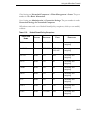
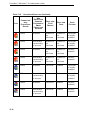
OfficeScan comes with a set of default firewall policy exceptions, which you can modify
or delete.
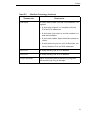
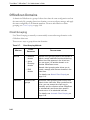
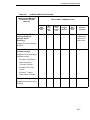
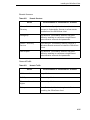
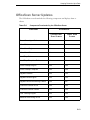
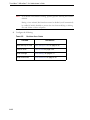
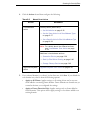
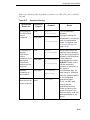
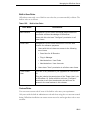
TABLE 11-2.
Default Firewall Policy Exceptions
E XCEPTION
N AME
A CTION
P ROTOCOL
P ORT
D IRECTION
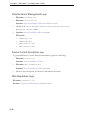
DNS
Allow
TCP/UDP
53
Incoming and
outgoing
NetBIOS
Allow
TCP/UDP
137, 138,
139, 445
Incoming and
outgoing
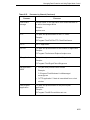
HTTPS
Allow
TCP
443
Incoming and
outgoing
HTTP
Allow
TCP
80
Incoming and
outgoing
Telnet
Allow
TCP
23
Incoming and
outgoing
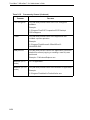
SMTP
Allow
TCP
25
Incoming and
outgoing
FTP
Allow
TCP
21
Incoming and
outgoing
POP3
Allow
TCP
110
Incoming and
outgoing
LDAP
Allow
TCP/UDP
389
Incoming and
outgoing
11-13