1
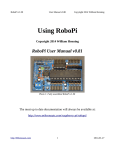
RoboPi v1.00
User Manual v0.85
Copyright 2014 William Henning
Table of Contents
Introduction................................................................................................................................................4
RoboPi Printed Circuit Board....................................................................................................................5
RoboPi I/O Pin Definitions........................................................................................................................6
P0-P7: SERVO 1 – SERVO 8................................................................................................................6
P8-P15: SERVO 9 – SERVO 16............................................................................................................6
P16-P23: SENSOR 1 – SENSOR 8......................................................................................................6
P24-P27: SPI port for MCP3008/MCP3208.........................................................................................6
ADC1-ADC8: 0-5V Analog inputs.......................................................................................................6
RoboPi Expansion Connectors...................................................................................................................7
Raspberry Pi I/O header pins.................................................................................................................7
EXP1/EXP2/EXP3 3v3 Expansion Connectors....................................................................................7
PI-I2C Header........................................................................................................................................7
PROP-I2C Header.................................................................................................................................7
PROPPLUG Header..............................................................................................................................7
Using RoboPi with the Raspberry Pi.........................................................................................................8
Downloading & Installing Raspbian (Debian for the Pi)......................................................................8
Step 1: Get a compatible Class 10 speed SD card, 8GB – 32GB in size..........................................8
Step 2: Download the latest Raspbian image...................................................................................8
Step 3: Install Raspbian....................................................................................................................8
Step 4: Using the Raspberry Pi serial port with RoboPi...................................................................9
Step 5: Installing RoboPiLib..........................................................................................................10
Step 6: Installing the RoboPi Firmware..........................................................................................10
Step 7: Installing SimpleIDE for the Raspberry Pi (OPTIONAL).................................................10
Introducing RoboPiLib.............................................................................................................................11
Python RoboLib Constants..................................................................................................................13
Python RoboPiLib Functions..............................................................................................................13
C RoboPiLib Constants......................................................................................................................14
C RoboPiLib Functions......................................................................................................................14
Using RoboPi without a Raspberry Pi (stand alone operation)................................................................15
Installing SimpleIDE on PC/Mac/Linux for stand-alone RoboPi use.................................................15
Introducing RoboPiObj.......................................................................................................................15
RoboPiObj Constants..........................................................................................................................16
RoboPiObj Methods............................................................................................................................16
RoboPiObj Resource Utilization.........................................................................................................16
How to use Digital Inputs........................................................................................................................17
Reading Bumper Switches..................................................................................................................17
How to use Digital Outputs......................................................................................................................18
Using LED's to show which bumper is pressed..................................................................................18
How to use Analog Inputs........................................................................................................................19
Reading a Potentiometer.....................................................................................................................19
Reading a CdS Photocell (light sensor)...............................................................................................19
Reading SirMorph (short range distance / line sensor).......................................................................19
How to use Servos....................................................................................................................................20
http://Mikronauts.com
2
2014-01-27