1
6 SETTING ATMOSPHERIC CORRECTION
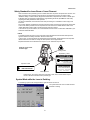
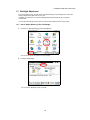
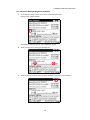
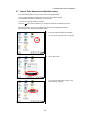
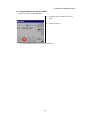
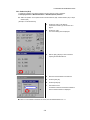
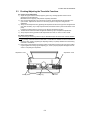
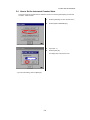
● How to Set the Atmospheric Correction Value Directly
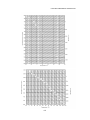
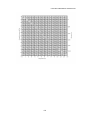
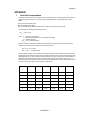
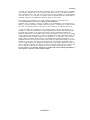
Measure the temperature and air pressure to find atmospheric correction value(PPM) from the chart or
correction formula.
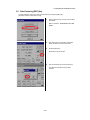
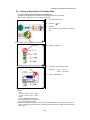
1
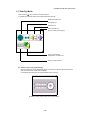
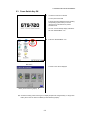
Turn the power switch on.
2
Press the [
3
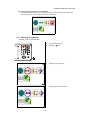
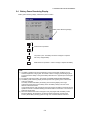
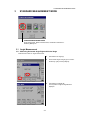
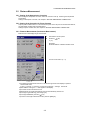
Press the
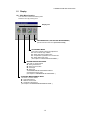
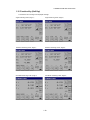
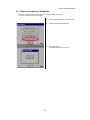
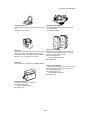
[Prism constant value, Atmospheric correction]
icon.
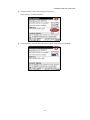
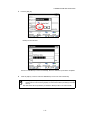
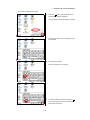
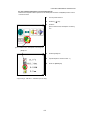
4
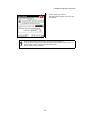
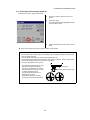
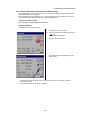
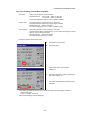
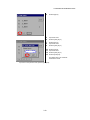
Press the [PPM] icon.
5
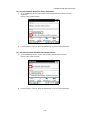
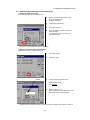
Input atmospheric correction value. *1)
6
Press the [ENTER] key.
] key.
[Prism constant value, Atmospheric correction] icon
[PPM] icon
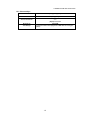
*1)Input range : -999.9mm ~ +999.9mm (0.1mm step)
6-3