1
5. Using On-Screen Menu
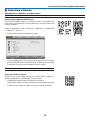
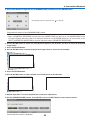
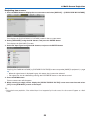
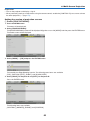
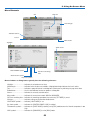
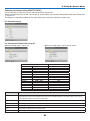
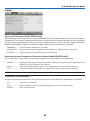
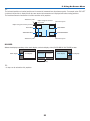
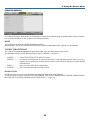
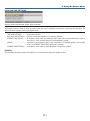
Menu Elements
Tab
Slide bar
Solid triangle
Available buttons
Source
Menu mode
Highlight
Radio button
LIGHT MODE symbol
Off Timer remaining
time
Thermometer symbol
Key Lock symbol
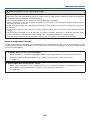
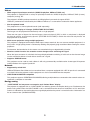
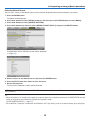
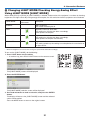
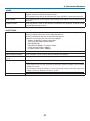
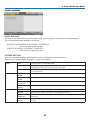
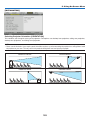
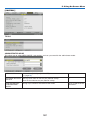
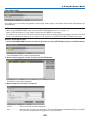
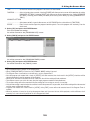
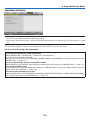
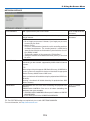
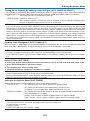
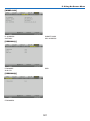
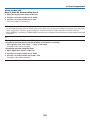
Menu windows or dialog boxes typically have the following elements:
Highlight�����������������������������Indicates the selected menu or item.
Solid triangle����������������������Indicates further choices are available. A highlighted triangle indicates the item is active.
Tab��������������������������������������Indicates a group of features in a dialog box. Selecting on any tab brings its page to the front.
Radio button�����������������������Use this round button to select an option in a dialog box.
Source��������������������������������Indicates the currently selected source.
Menu mode������������������������Indicates the current menu mode: BASIC or ADVANCED.
Off Timer remaining time����Indicates the remaining countdown time when the [OFF TIMER] is preset.
Slide bar�����������������������������Indicates settings or the direction of adjustment.
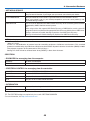
LIGHT MODE symbol����������Indicates [LIGHT MODE] is set.
Key Lock symbol����������������Indicates the [CONTROL PANEL LOCK] is enabled.
Thermometer symbol���������Indicates the [LIGHT MODE] is forcibly set to [ECO] mode because the internal temperature is too
high.
HIGH symbol����������������������Indicates the [FAN MODE] is set to [HIGH] mode.
69