1
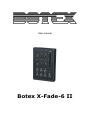
5. Control Panel View
Channel faders (1~6):
Used to control the output level of each corresponding fixture channel.
Master Control fader:
Used to control the overall output level for all channels 1~6 or control the master level for all scenes.
Scene buttons (1~6):
To select the corresponding programmed scene for playback.
Scene LED indicators (1~6):
These 6 LEDs detail the current fader level for scenes 1-6. The LED indicators will reflect the fader
level changes in real time.
O/P button:
To close all channels’ 1-6 output or enter/exit Recording Scene Mode.
O/P LED indicators:
To indicate if the output state is turned on or off.
Infrared sensor:
To receive signals from Infrared Remote Control.
RJ45 Interface:
To link with the Junction Box 1 via LAN cable for getting the tension and DMX output.
5 / 11