1
INTRODUCTION
Aeros 9040 Field Computer
CHAPTER 4 – SYSTEM SETUP
FULL SCREEN
HOME
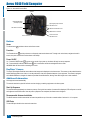
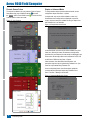
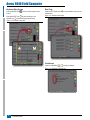
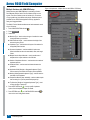
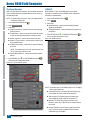
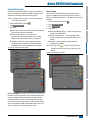
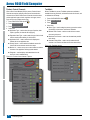
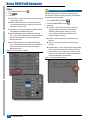
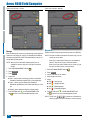
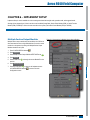
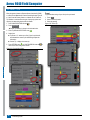
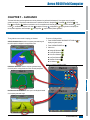
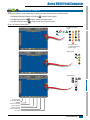
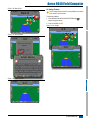
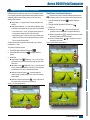
System Setup is used to configure the console, the machine and its implements. Four side tabs access options for Machine/Implement
Configuration, Data Management, Console Settings, and Tools.
OVERVIEW
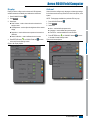
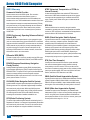
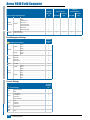
Four side tabs access setup options for:
Data Management
• Job Data (Transfer, Manage)
• Guidance Sensitivity
• A
utoSteer (Valve Setup, Steering Settings, Valve Test, Valve
Diagnostics, Steering Wheel Sensor, Steering Angle Sensor)
• GNSS Receiver Configuration
• Video Configuration
• Sensors (Input/Output Module (IOM) Pressure Sensor)
• Tip Flow Monitor
• ISOBUS Configuration
• Control Channels (Device Setup, Product Control Channel,
TankMatic)
• Options (Job Mode)
• Machine Settings (Transfer, Manage)
Console Settings
• About (System Information)
• Display
• Cultural
• Audio Volume
• Demo GNSS
• Feature Unlock
Tools
IMPLEMENT
• Tilt Correction
• Reports
SETUP
• Implement (Straight, Spreader, or Staggered Implement
configurations; Tip Selection information including Droplet Size
Monitor; Ground Speed Override, Reverse configuration)
GNSS
Implement Configuration
• Upload Software
• Extras (Calculator, Units Converter)
• Product Configuration
GUIDANCE
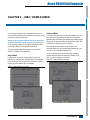
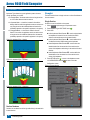
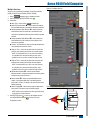
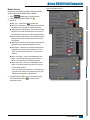
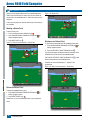
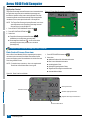
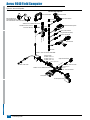
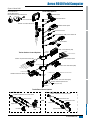
Figure 4-1: Setup Options
Side Tabs
Configuration side tab
RATE CONTROL
Data Management side tab
Console Settings side tab
APPENDIX
Tools side tab
System Setup bottom tab
98-05304-ENUS R0
11